Product Changelog
Clearstream is a product-first company. We value feedback and are releasing new things all the time! The changelog below is a timeline of the improvements and new features we've launched.
Browse by date
Showing posts for November, 2026...
← Back to all postsNovember 10, 2026
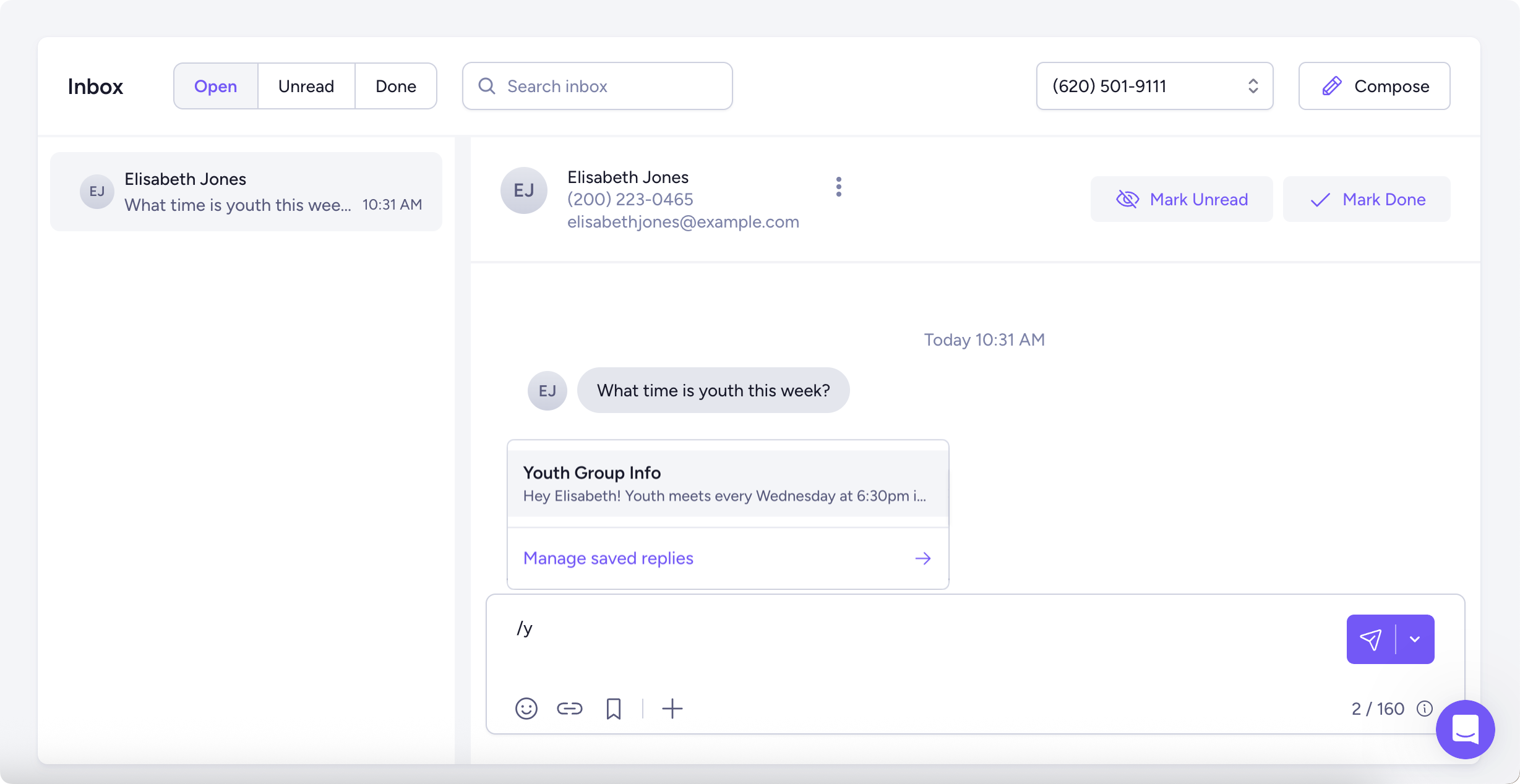
Release DetailsCreate saved replies 💥
When replying to a message in the inbox, you can insert a saved reply for messages you send often, like your service times or event information. Just type / in an inbox conversation to create a saved reply.
November 10, 2026
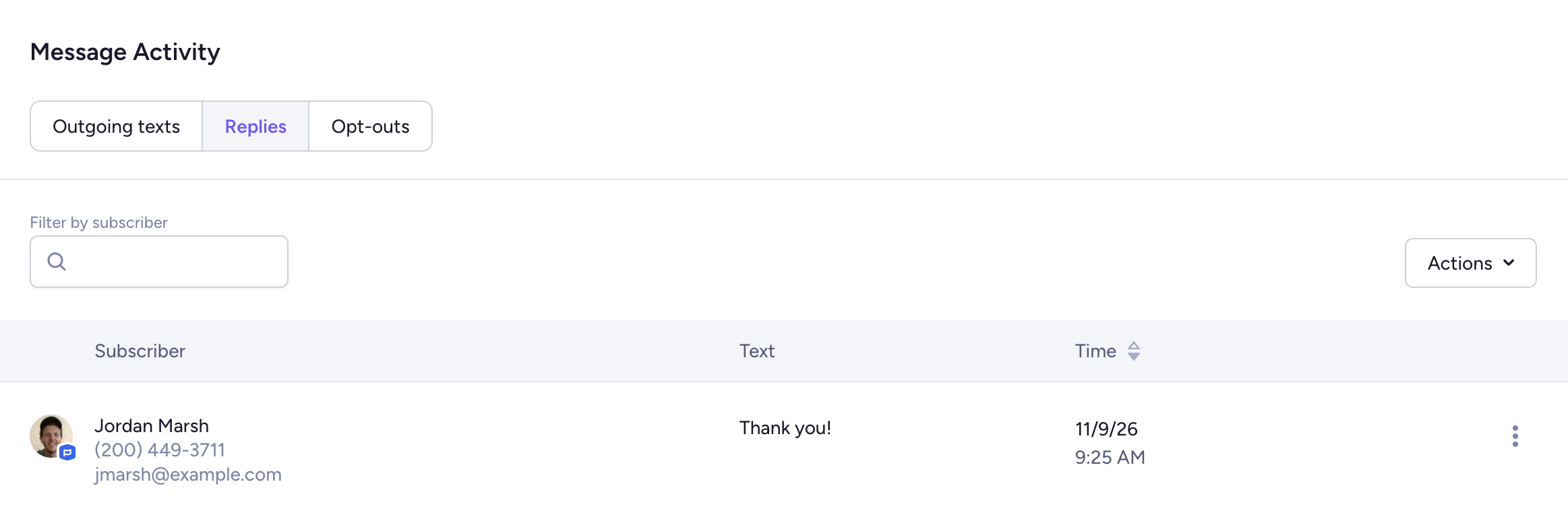
Release DetailsView all replies for a specific message
You can now see all the incoming replies to one specific message. Just go to the Messages page > Click on your message > Replies under Message Activity.
November 10, 2026
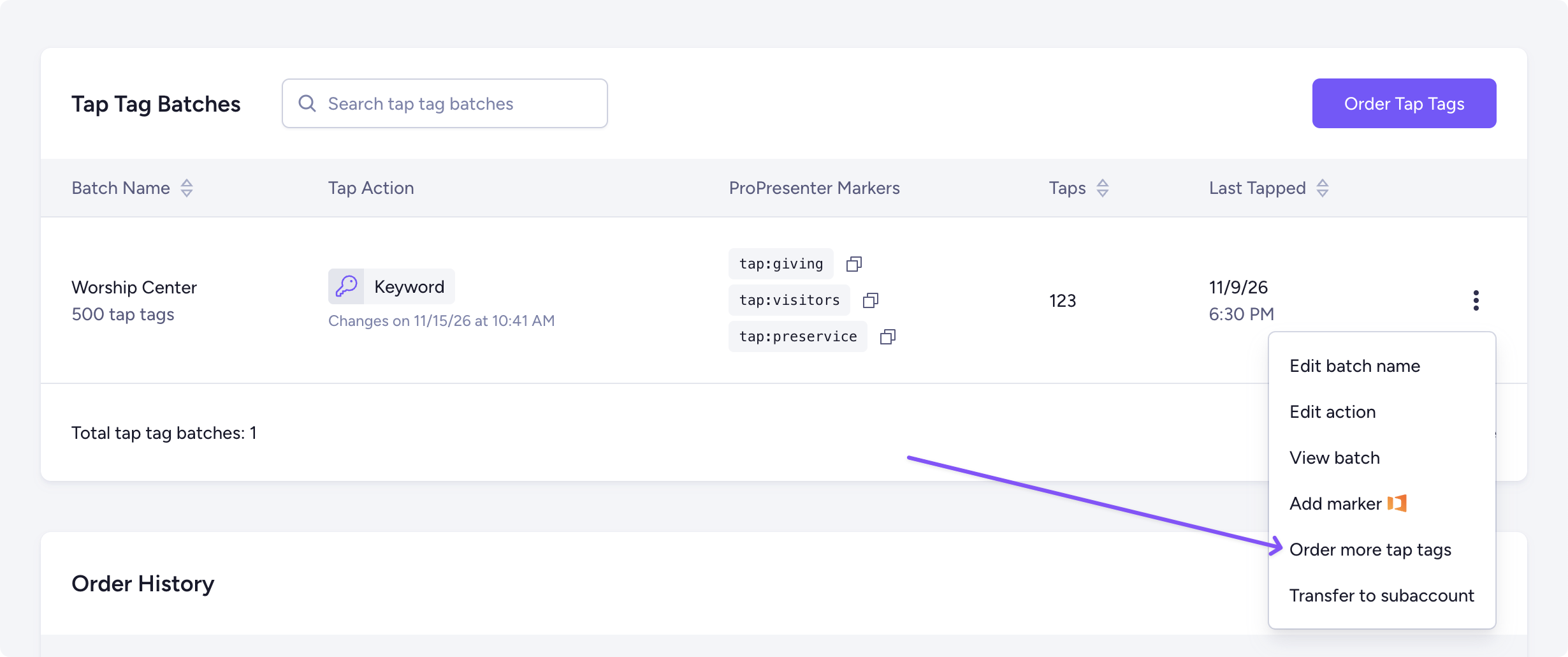
Release DetailsAdd more tap tags to a batch
You can now order more tap tags for an existing batch. Just go to the Tap Tags page > Click the ⋮ icon beside your batch > Order more tap tags.
November 10, 2026
Release DetailsSee your previous tap tag orders
You can now view your full tap tag order history, see order details, track your shipment, and view your receipt.

November 9, 2026
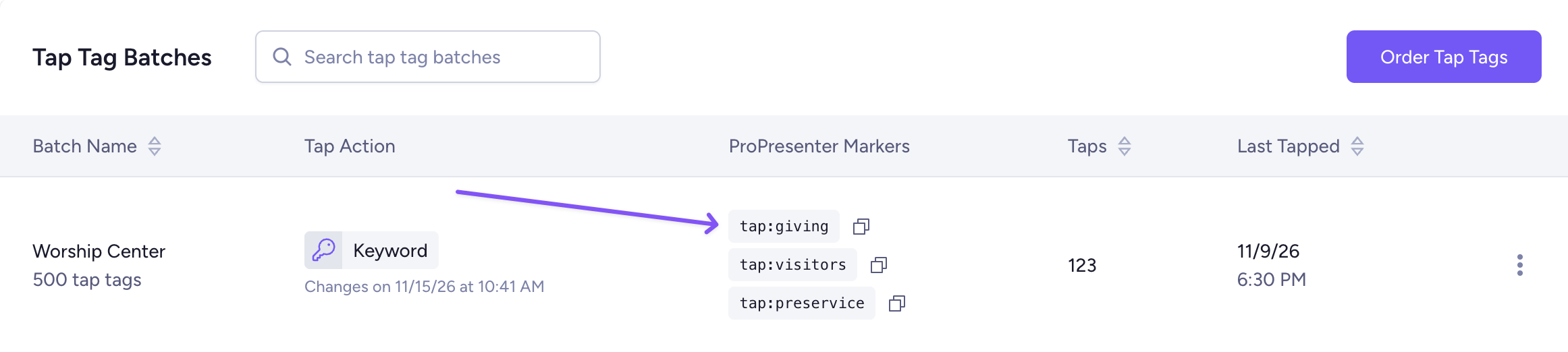
Release DetailsManage markers from the Tap Tags page
When viewing the Tap Tags page, you can easily copy your ProPresenter marker, edit it, or create a new one.
November 9, 2026
Release DetailsSpam complaint notifications
If your email spam complaint rate goes over 0.1%, you'll get an email notifying you.
November 9, 2026
Release DetailsSee more account history in reports
When generating a Keywords Activity, Incoming Texts, or Subscriber Opt-Outs report, you can now pull data from the past 7 years.