September Product Update


Fall is here, and we're excited to share some new product updates 🍁
You can now change your tap tags' action with a ProPresenter slide, share email attachments, schedule recurring emails, download our redesigned Android app, and more!
Update tap tags with ProPresenter 🎉
Our new ProPresenter integration for Mac and Windows lets you automatically change your tap tag actions based on which ProPresenter slide is displayed. For example, when you display your giving slide on screen, your tap tags' action can automatically change to your giving link.
Sync your tap tags to your announcements for an easy call-to-action; let visitors fill out a connect card; share the sermon notes when your pastor starts his message; and more!
Read the full set-up guide here!
Redesigned Android app
We've made some big changes to our Android app. It's better designed, easier to use, and there's no more pink! Organize your inbox by swiping left to mark messages as done, or swiping right to keep them unread. Create and delete scheduled messages, and quickly switch between your subaccounts.
Your app likely updated automatically. But if it didn't, just click here, then click Update.
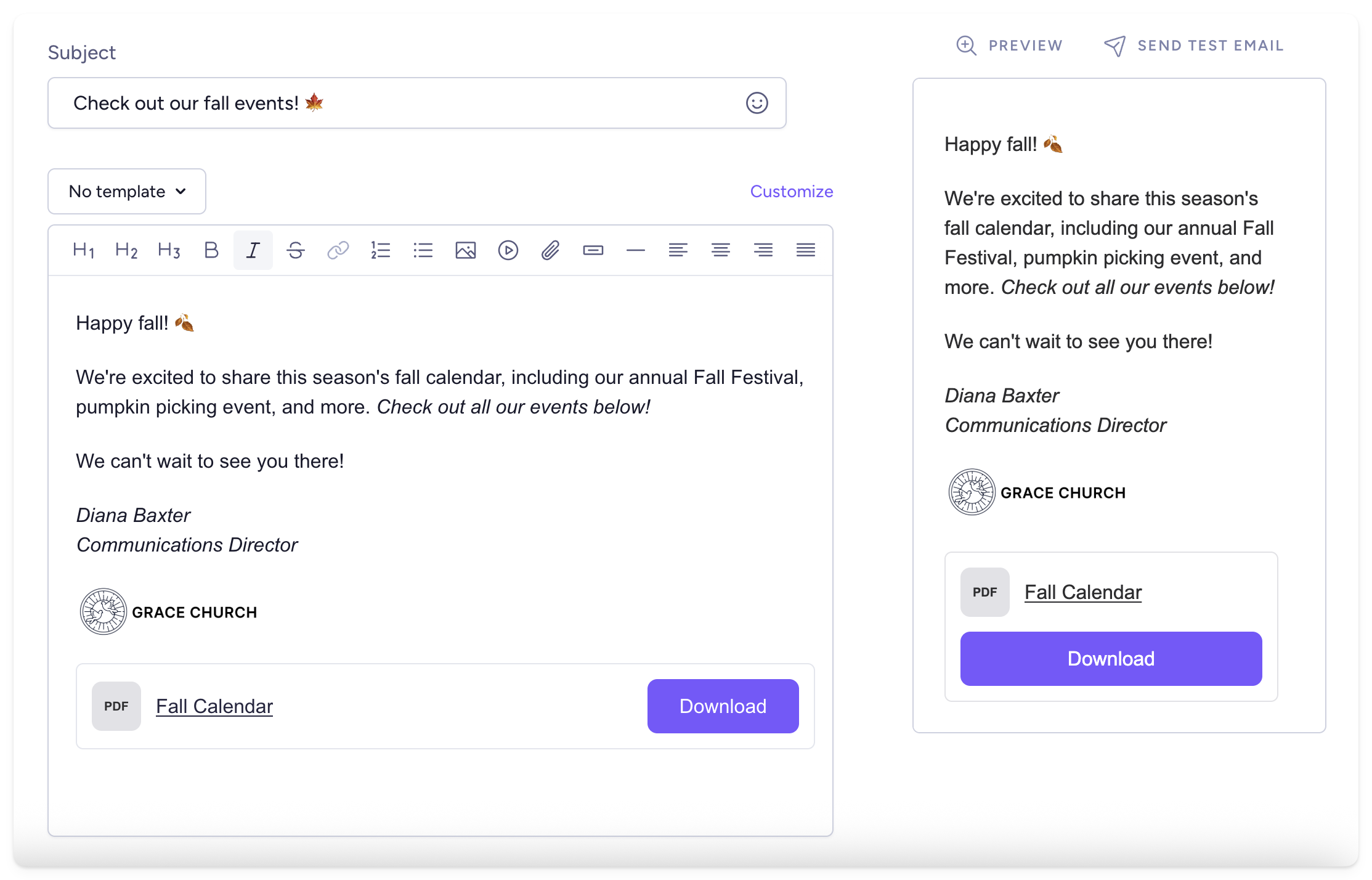
Email attachments 🙌
When you're creating an email, you can now include documents, PDFs, spreadsheets, and more! Great for sharing your monthly calendar, volunteer instructions, camp packing list, or parking directions.
Recurring emails
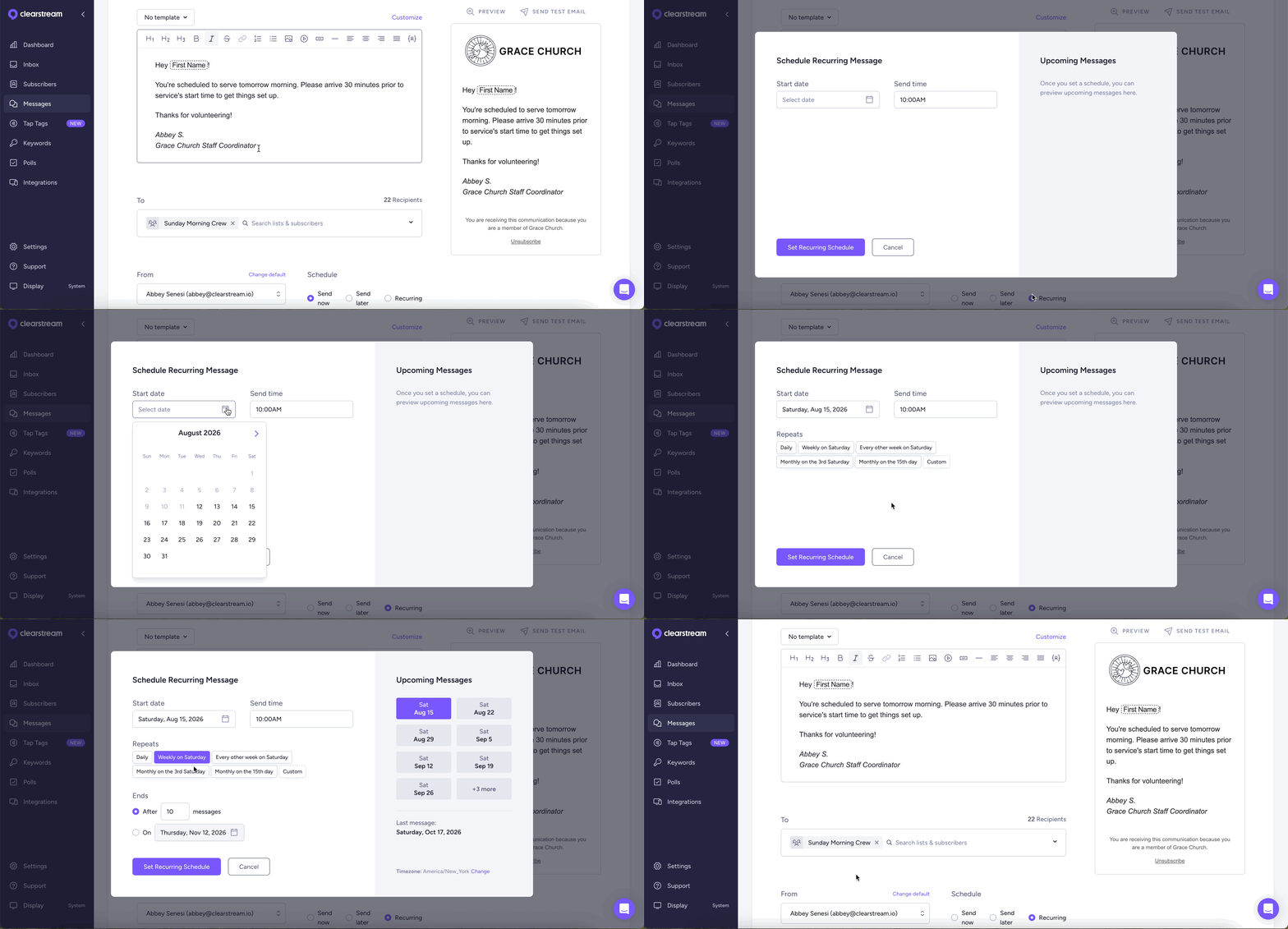
You can now send emails on a recurring schedule: like every Wednesday night, every other Saturday, or one Friday a month. These are helpful for sending volunteer service reminders on Saturdays, or monthly worship night invites!
More email updates ✉️
When adding an email address, we'll automatically catch common typos. No more emailing gnail.com or gmail.con 🫠
When an email can't be delivered to a specific person, you'll now have more insight as to the reason why. Emails can bounce if the recipient's inbox is full, their email address doesn't exist, their server blocked your email, etc.
When viewing an unsubscribed contact, you can now see how and when they opted out of your email. Just hover over the email opt-out icon to see more information.
If someone has unsubscribed from your emails, but they want to resubscribe, you can now manually opt them in from the Subscribers page.
Emails are now included in the metrics at the top of your Messages page.
Notify your team with a workflow step 🔔
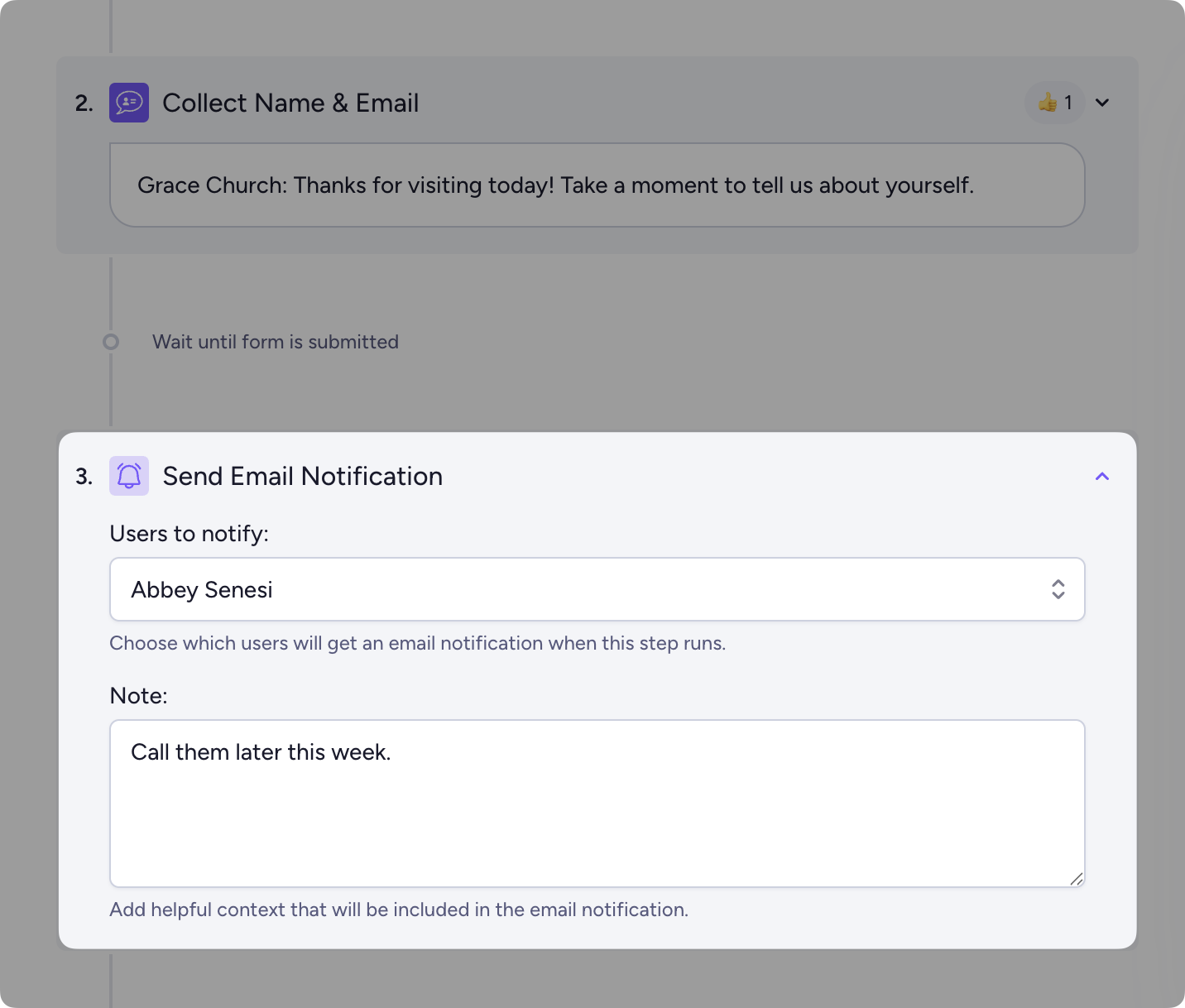
Now you can notify yourself or a team member when people reach a specific step in your workflow. Perfect for letting your team know when someone fills out your digital connect card, signs up for baptism, or joins the volunteer team.
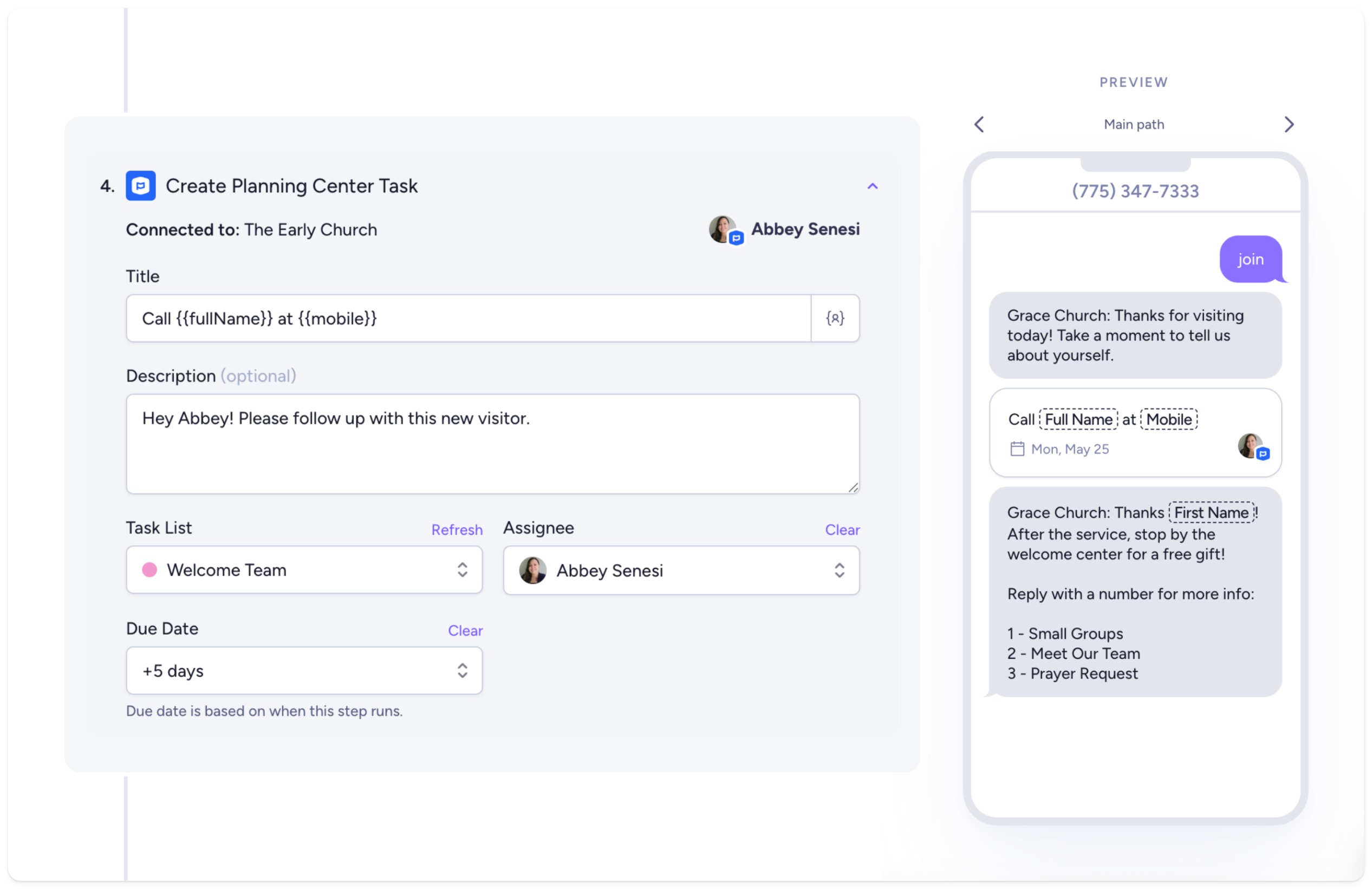
If your church uses Planning Center, you can automatically create a new Planning Center task as well.
New workflow branching options
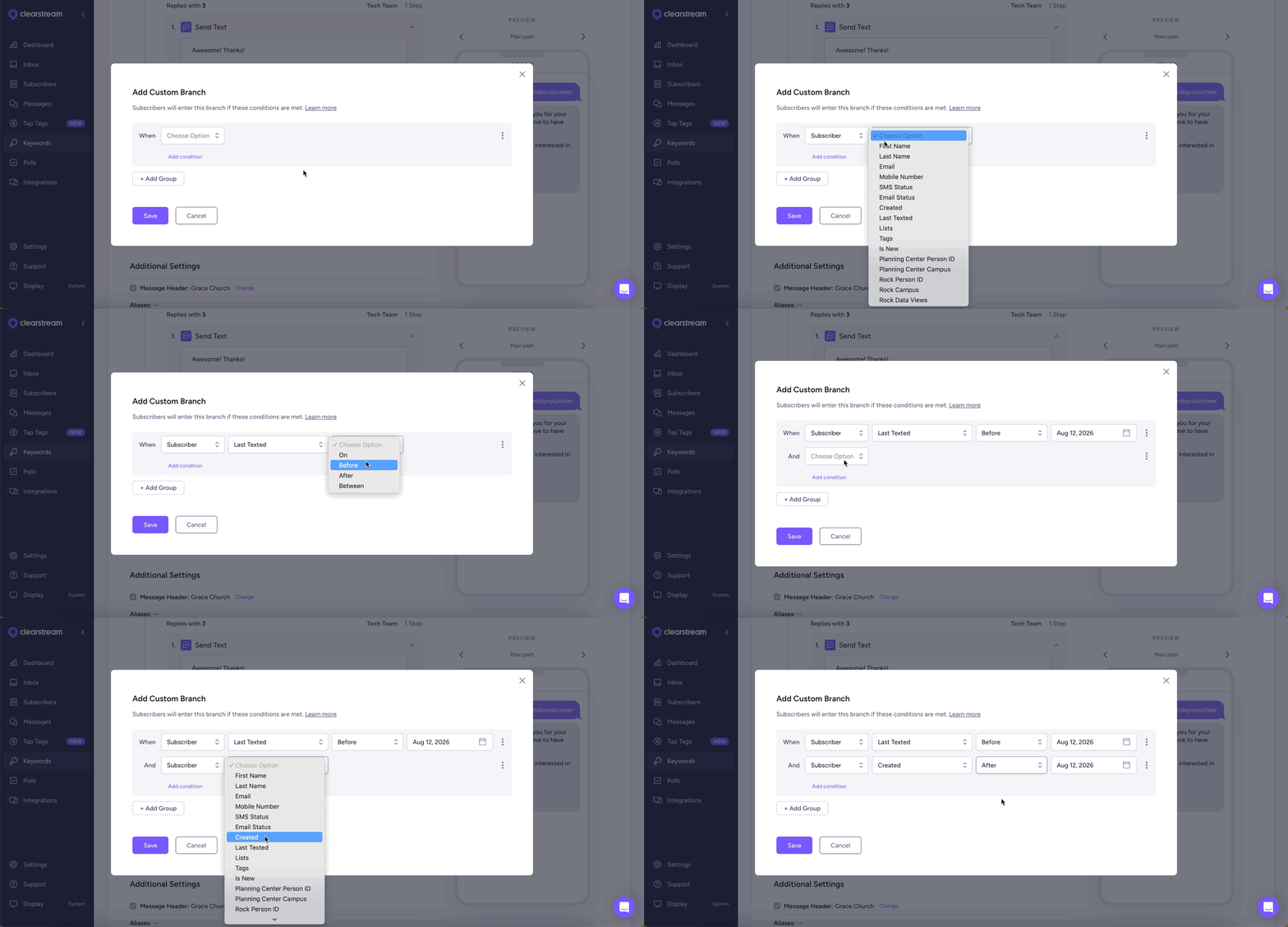
When creating a workflow, you can use branches to send different messages to people based on their information (like their campus, missing first name, and more!).
We've added some new branching options so you can now branch based on when a subscriber last texted and their creation date.
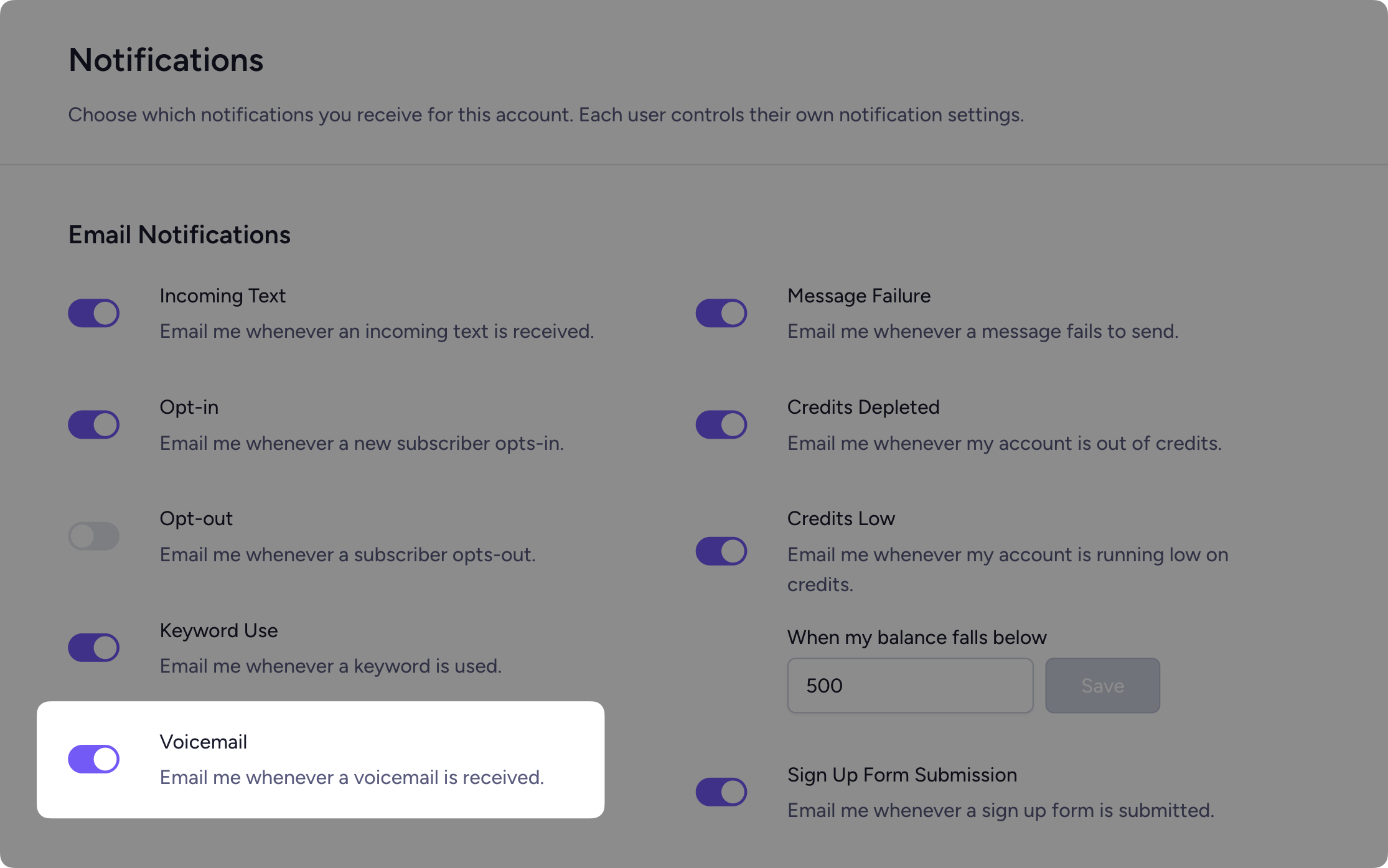
Voicemail notifications
If you're using the Voice Add-On for voicemail and call forwarding, you now have the option to enable/disable voicemail notifications. You can manage this from your Settings > Notifications.
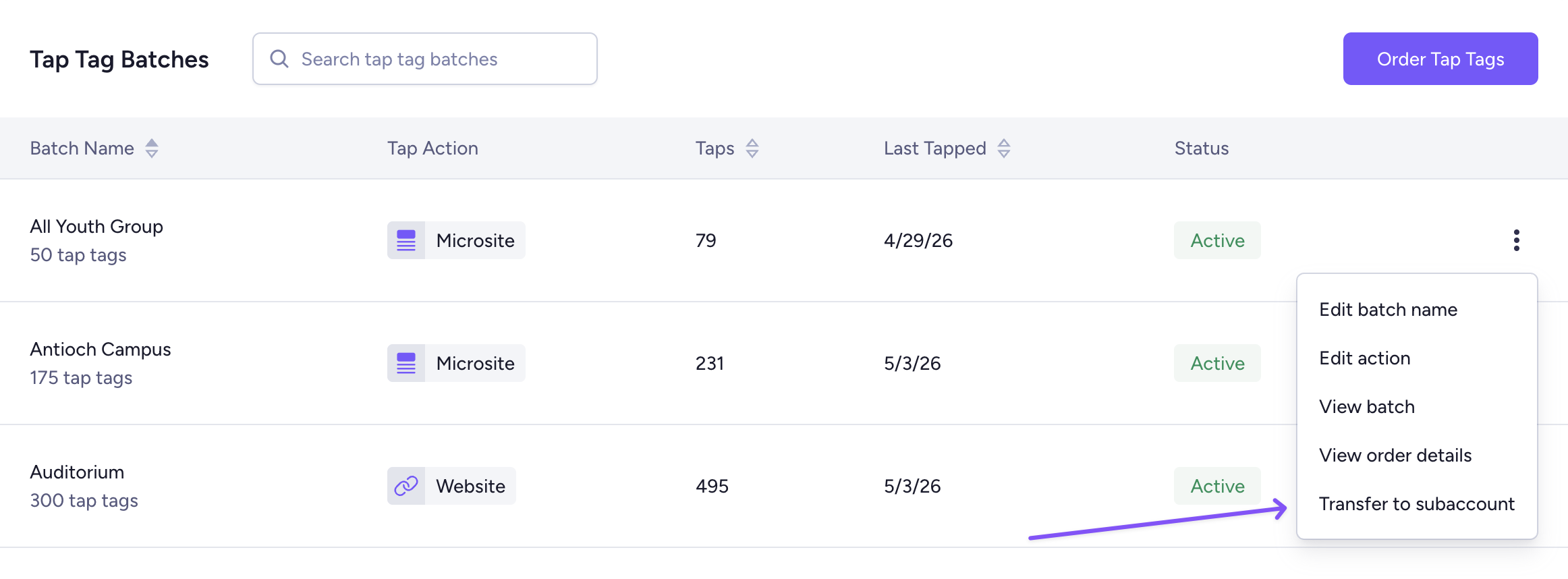
Transfer tap tags to a subaccount
If your church uses tap tags, you can now easily transfer a batch to one of your subaccounts. Great for letting your youth group, kids ministry, or other campus manage their own tap tags! Just click on the ⋮ icon next to your tap tag batch > Transfer to subaccount.
Some more updates...
Tap tags can now ship to Canada! Order a free sample here 🇨🇦
When viewing your invoices, you can now see which user made each purchase.
If you try to add a subscriber with the same phone number as an existing subscriber, we'll show you the existing contact.
When you're creating a message, you can type : to open the emoji selector. And now, we'll suggest the emojis that you most commonly use 👍
We've redesigned the layout for adding new workflow steps. It's more organized, and easier to find what you're looking for.
You can now filter subscribers by the date they were created and easily search subscriber filters by name.
If you made it to the end, thanks for sticking with us. Keep up with all our updates in the changelog. And keep an eye out for more exciting updates coming soon!