Voicemail & Call Forwarding 💥


Easily forward incoming phone calls to your personal number, or send people to a custom voicemail! 🎉
You can also see a history of incoming calls in your new call log, and view voicemail transcripts in your inbox. Our Voice Add-On is only $10/month, and that includes all phone numbers in your subaccounts!
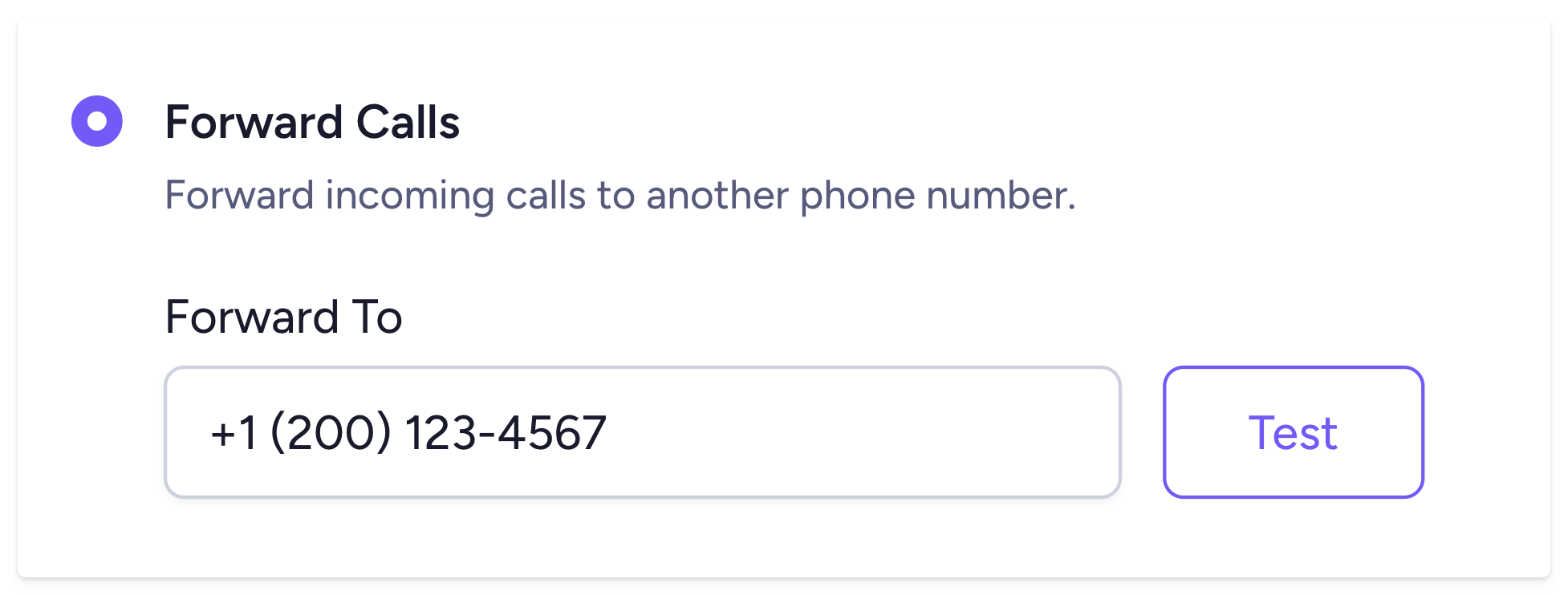
Forward incoming calls 📲
When someone calls your Clearstream number, you can forward that call to your personal number, or someone else on staff. That way, every call is seen, and answered... or at least sometimes answered. 😅
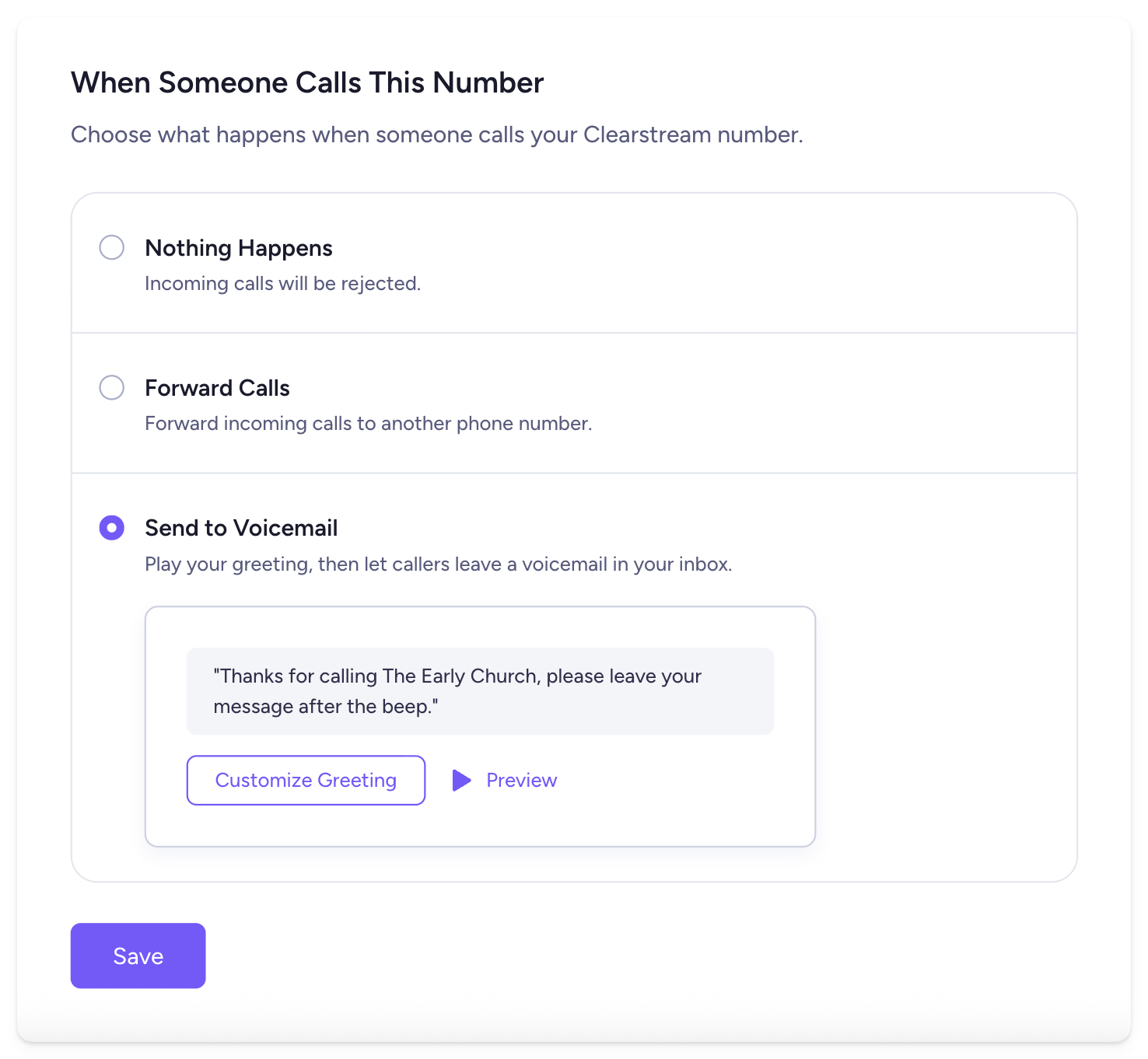
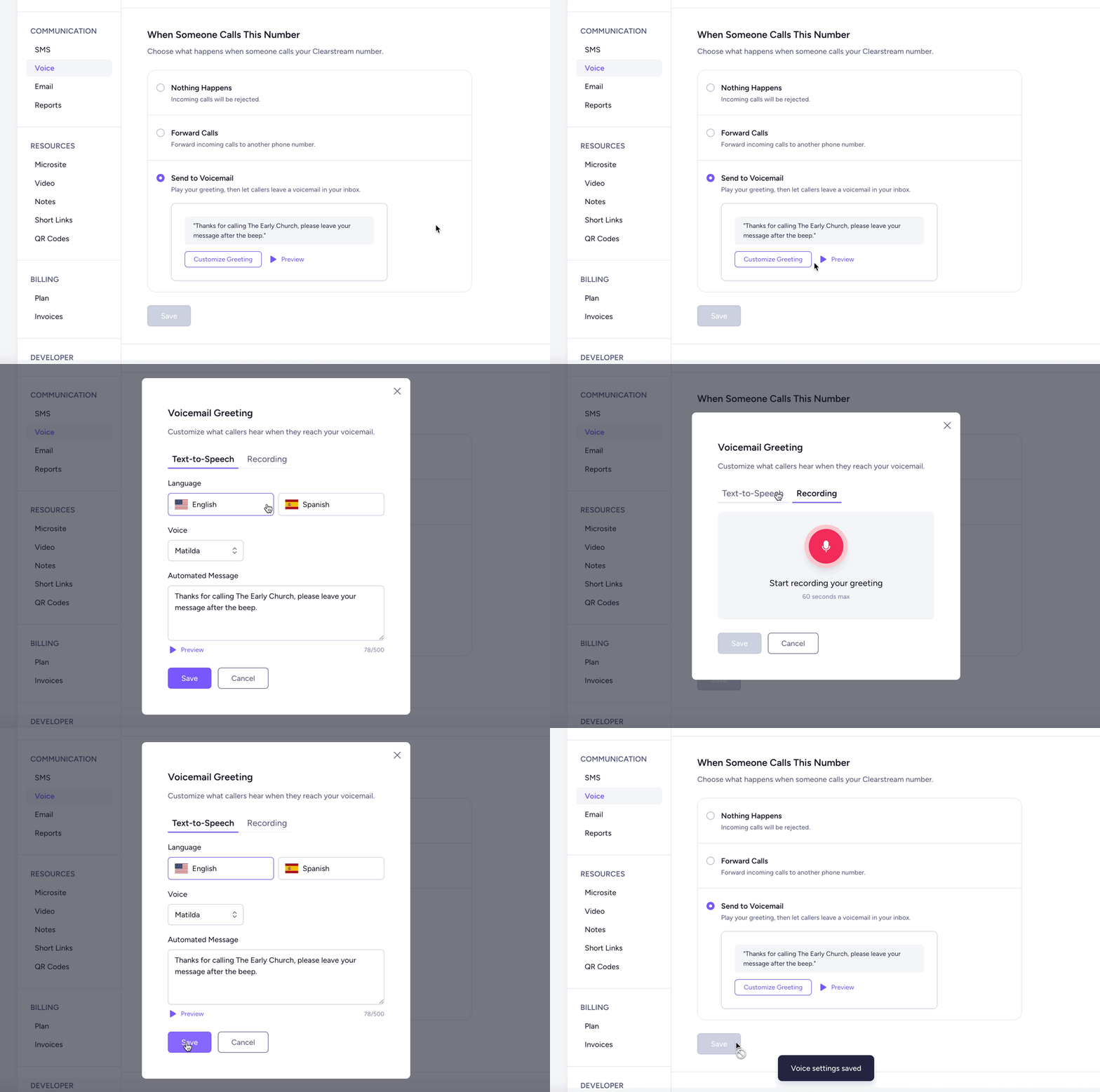
Create a custom voicemail for your church
If you don't want to forward incoming calls, you can send people to voicemail. Create an automated message with text-to-speech or record your own greeting for a personal touch. ☺️
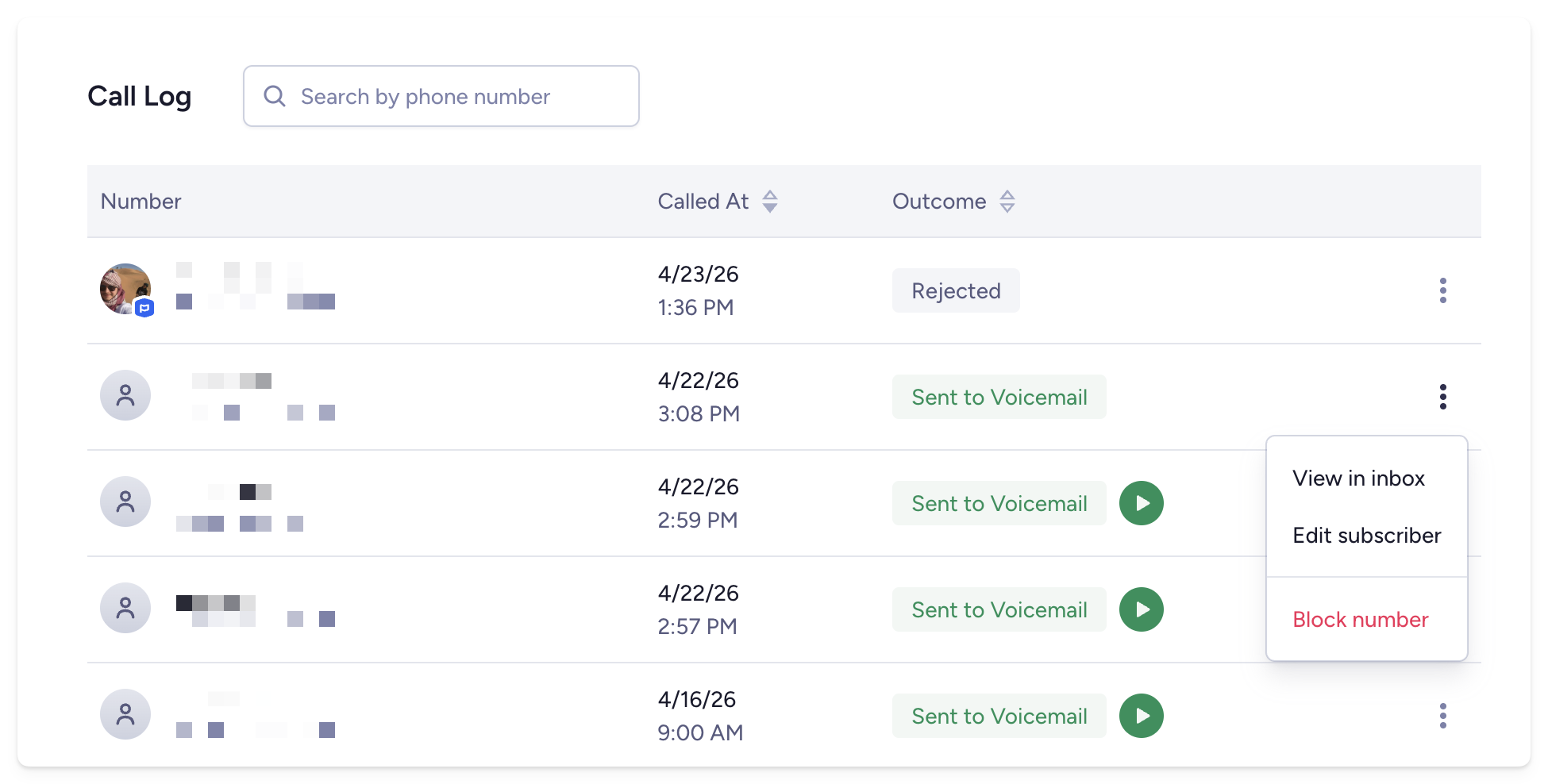
View your call history 📞
When someone calls your number, you can see the full call history and listen to their voicemail in the new call log. Go to Settings > Voice > Scroll down to Call Log.
Reply to your voicemails in the inbox
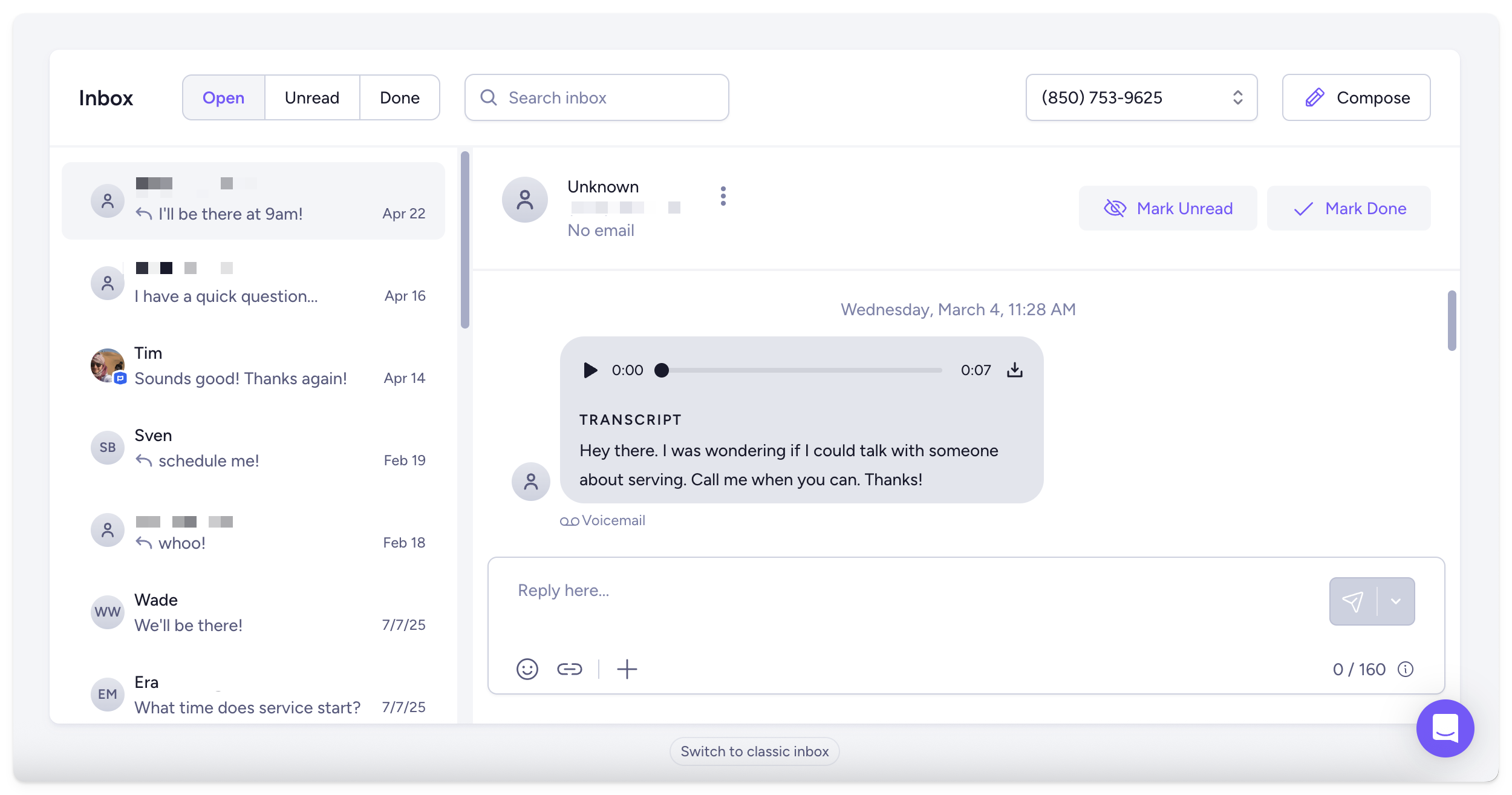
When you receive a voicemail, you'll see the voice message in your inbox. You can play the voicemail, or read the automated transcript, and then shoot them a text.
Want to enable the add-on?
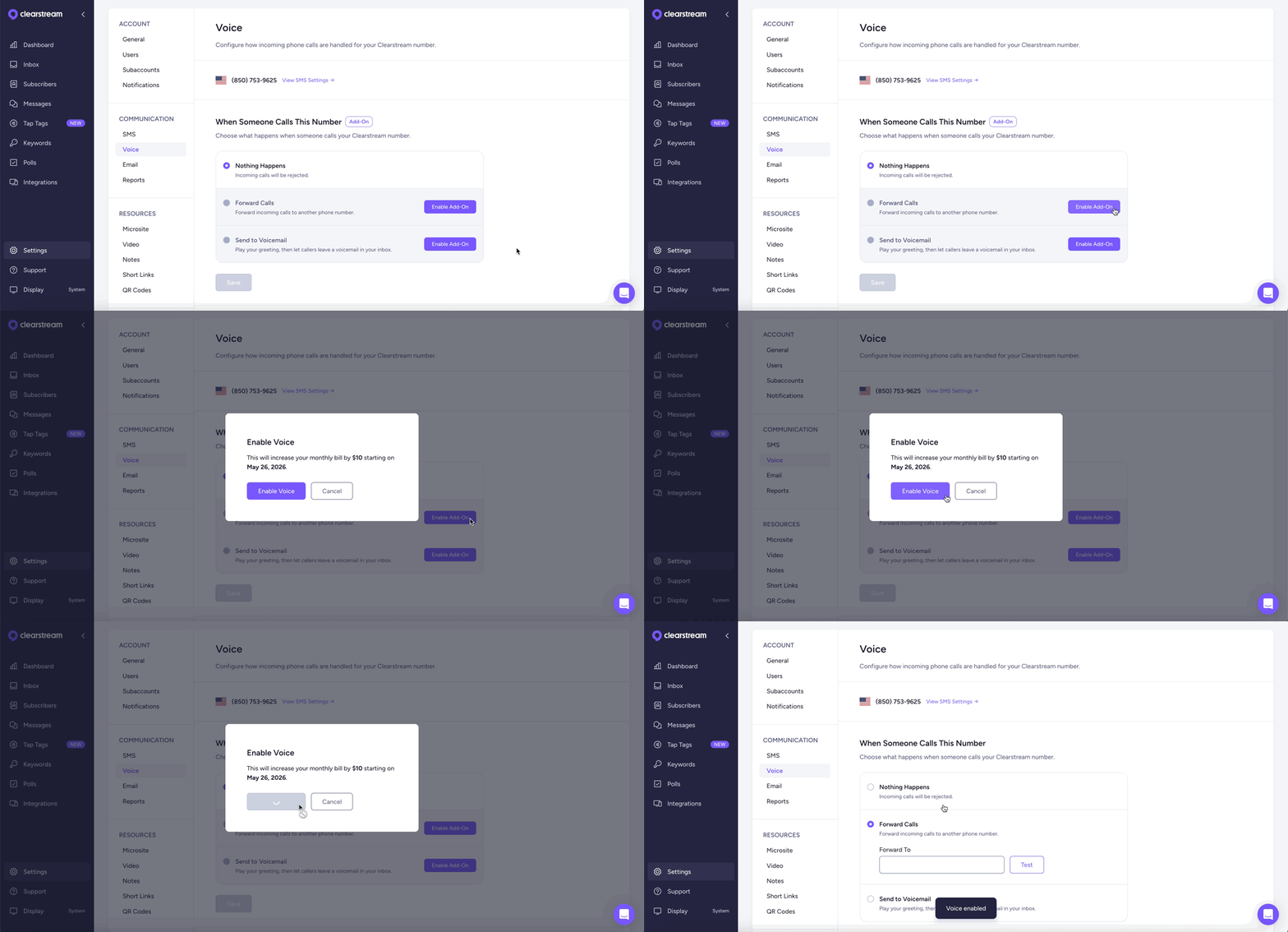
The Voice Add-On is only $10/month, and that enables call forwarding or voicemail for each of your Clearstream numbers, including subaccounts! Just go to Settings > Voice.
Click here for the full walkthrough!
If you have questions or feedback, just reach out to our team via live chat. We'd love to hear from you!