Clearstream 🤝 Planning Center Tasks


Planning Center Tasks lets you create and manage to-do lists for yourself and your team! Create a new task when someone accepts a request to serve or fills out a form, and assign it to a team member or add it to your ministry's to-do list.
And now, Clearstream can automatically create a new task when somebody texts your keyword, fills out your connect card, requests prayer, or signs up for baptism 🙌
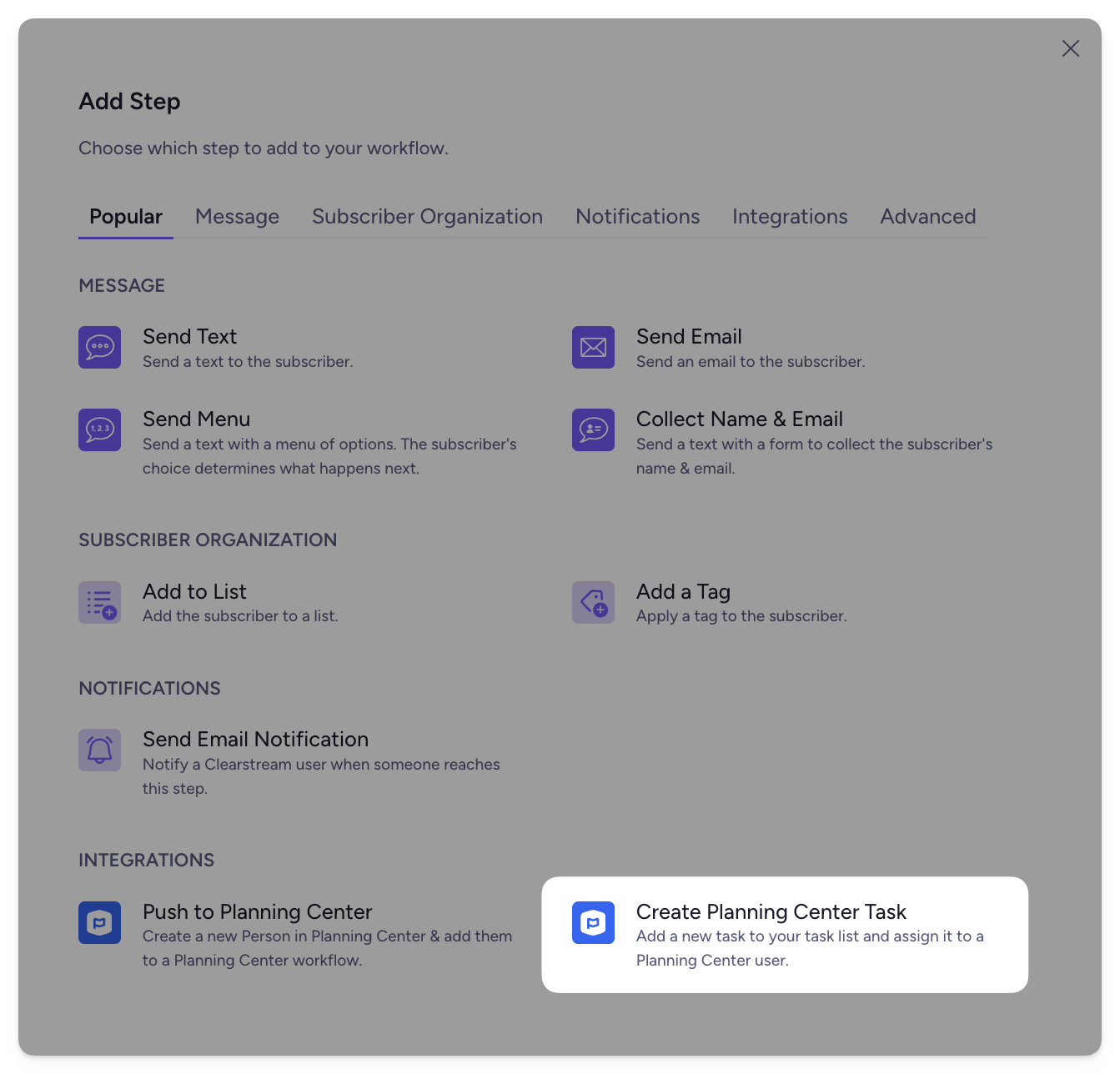
And as a side note, we've also made it so you (or someone on your team) can get an email when somebody texts your keyword or reaches a specific step in your workflow. More on that here!
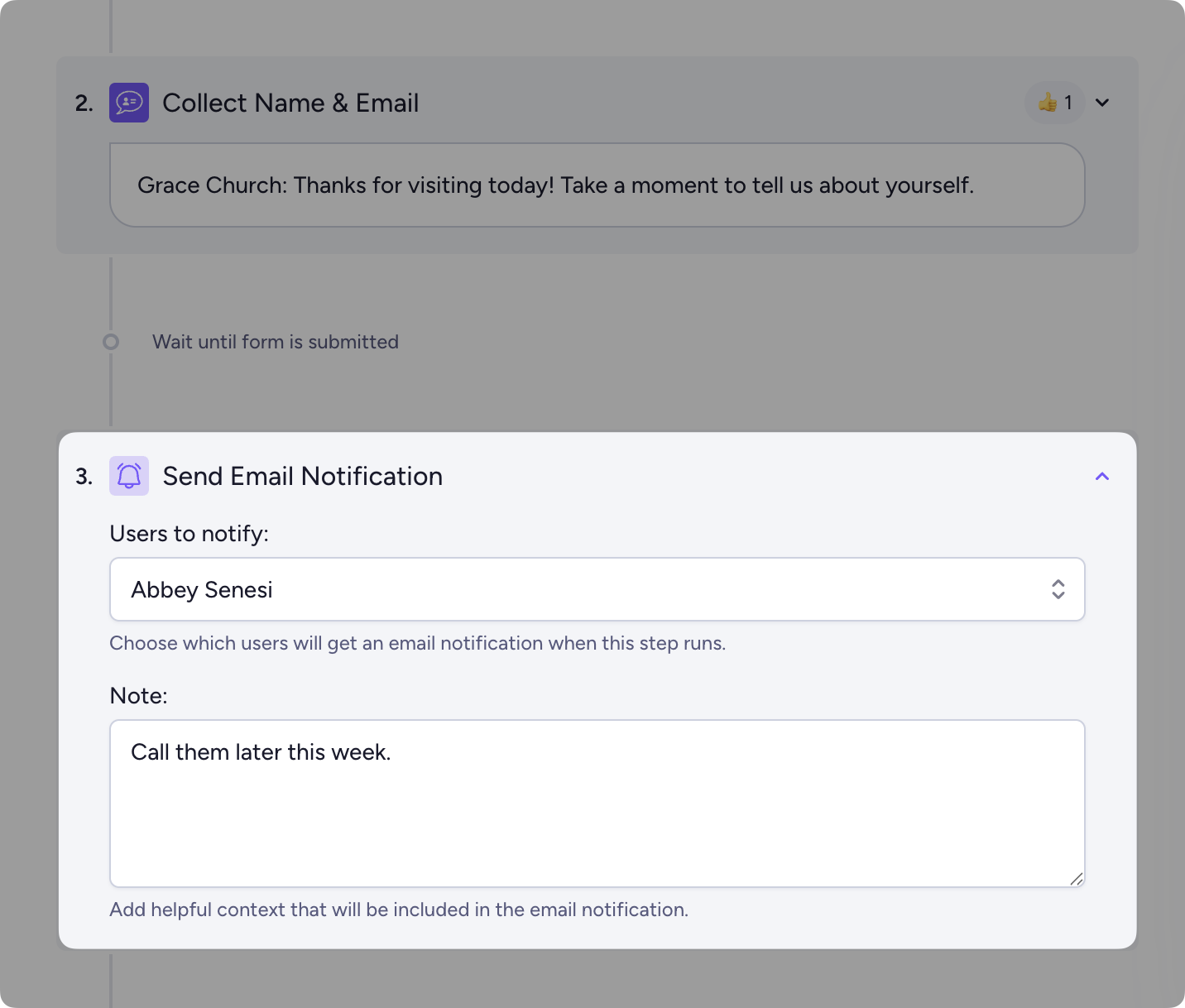
Get follow-up reminders ✅
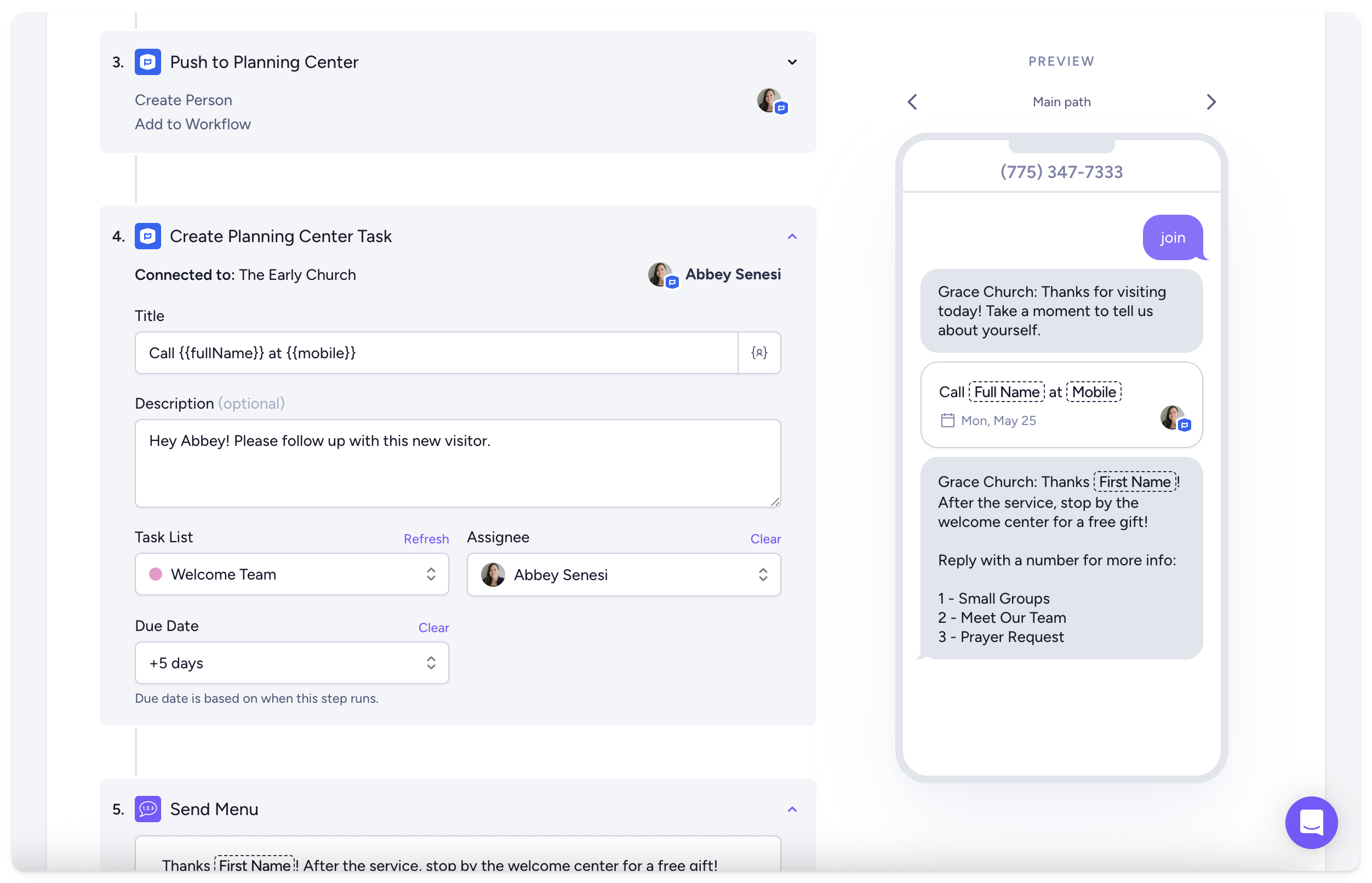
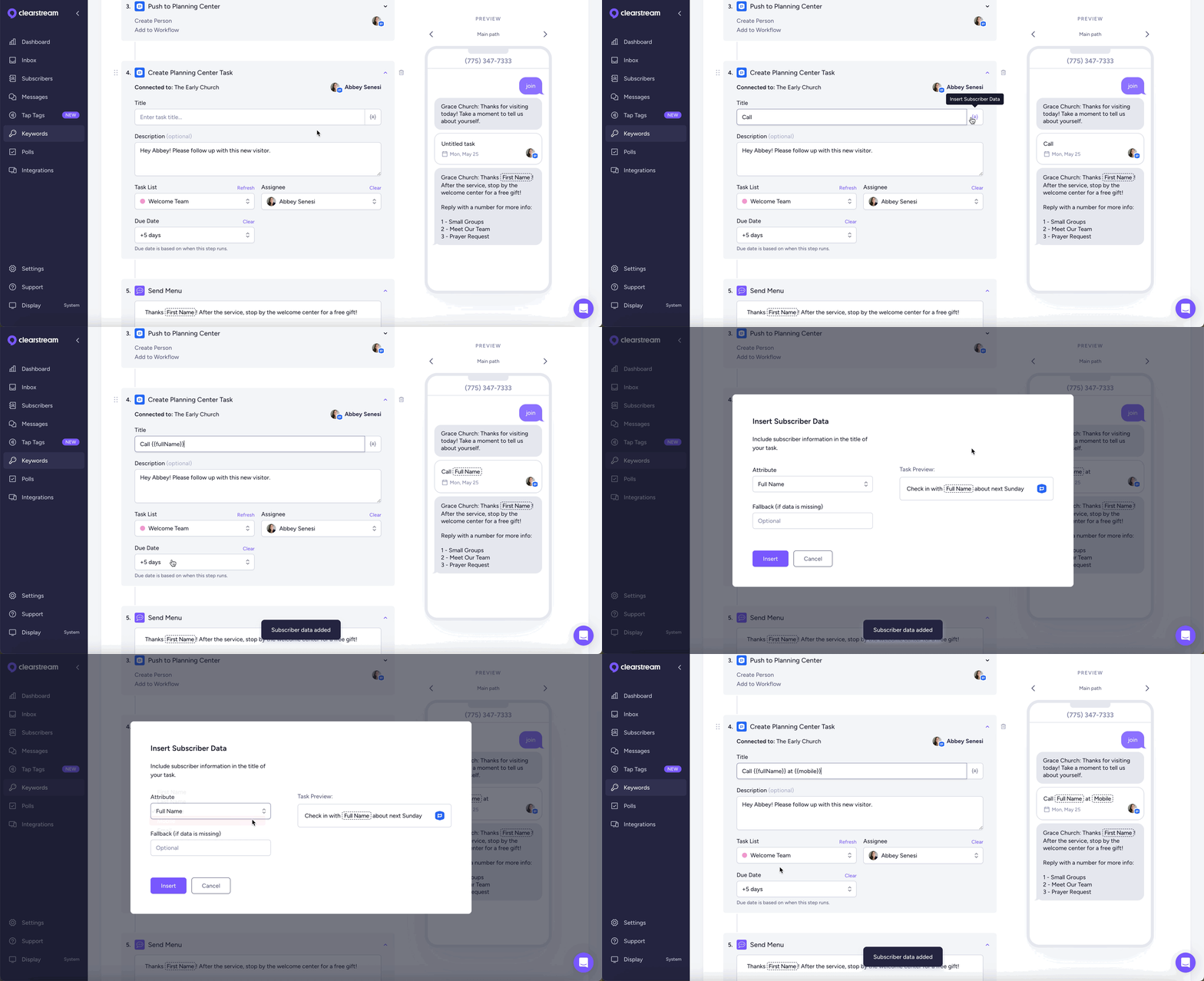
Have you ever forgotten to follow up with a new visitor? Us too ✋ When you add the Create Planning Center Task step to your workflow, we'll automatically create a new task that reminds you or someone on your team to call, send a card, or check in during the week.
Perfect for following up with visitors, new families in your kids ministry, salvations, new volunteers, and more!
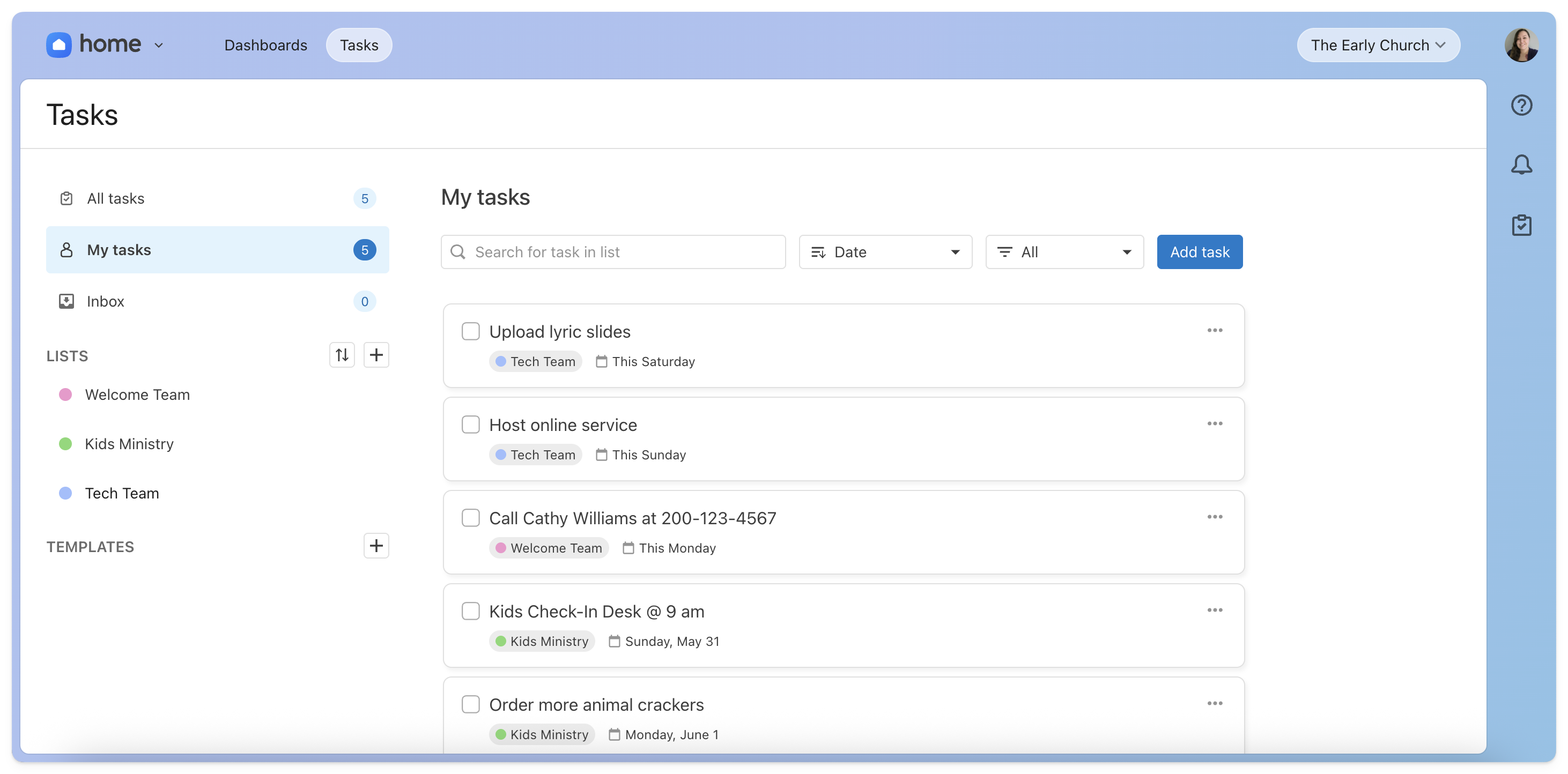
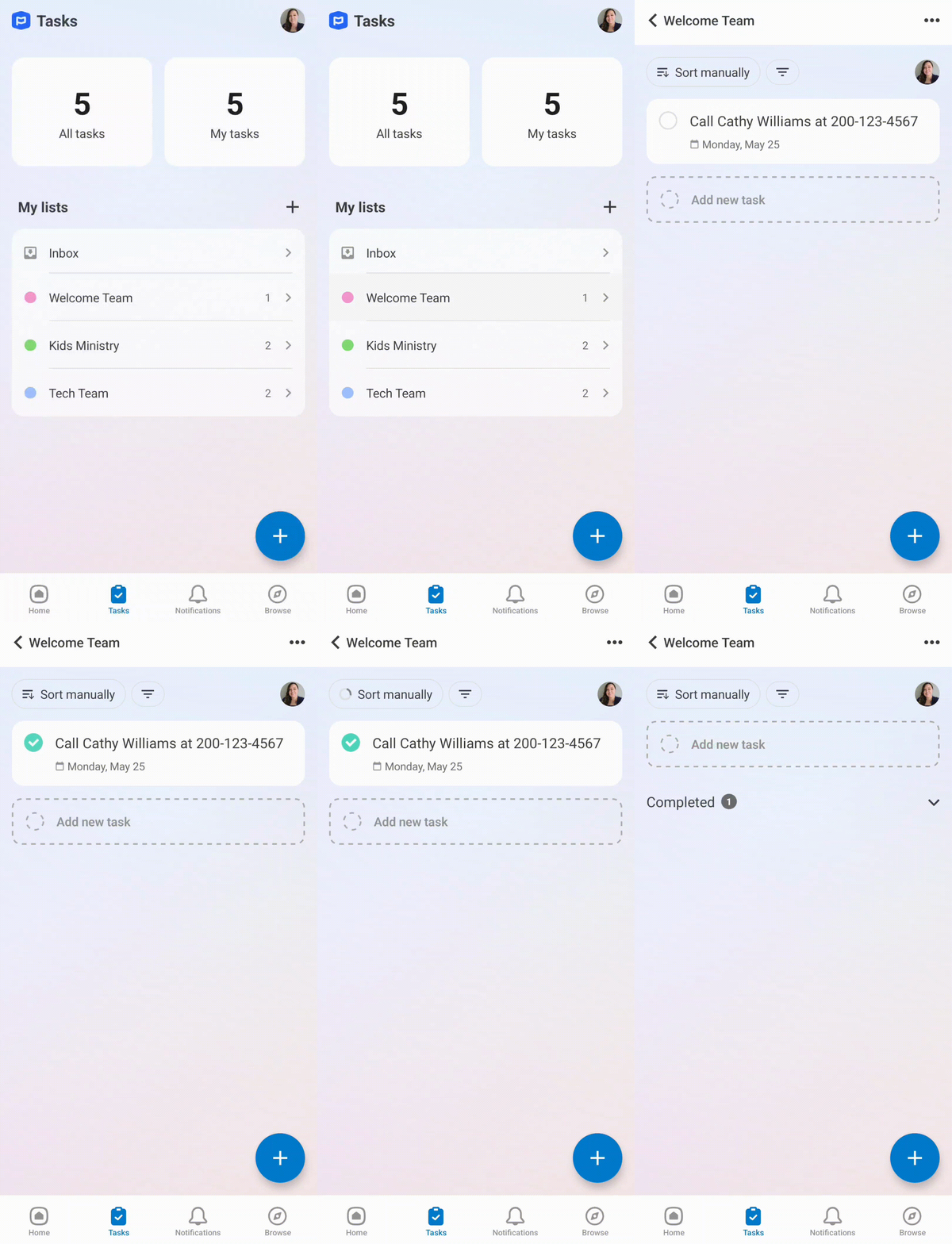
Everyone can easily see their assigned tasks in Planning Center Home under Tasks.
Make reaching out easy 🙏
No need to track down people's contact info! Just add a data field, and we'll automatically add each subscriber's name, mobile number, or email to each task that's created, so all you have to do is reach out.
Bring your to-do list with you
With the Planning Center app, you can take your to-do list on the go — no need to stay on your desktop. Easily add or edit tasks, see what's left to do, and check them off when they're done. Great job, you!
Ready to get started?
Just go to the Planning Center Integration page and click the Reconnect button in the pop-up. Or, if you haven't set it up yet, click here! Then, just add the Create Planning Center Task step to any of your keywords or workflows 💥
Have any questions, or any features you'd like to see? Just reach out to us via the live chat in your account. We'd love to help!