January Product Update


We have 11 updates to kick off the new year! 🥳 You can now see microsite analytics, generate QR codes, schedule tap tag actions, and more. See what's new below 👇
Microsites (5 updates!)
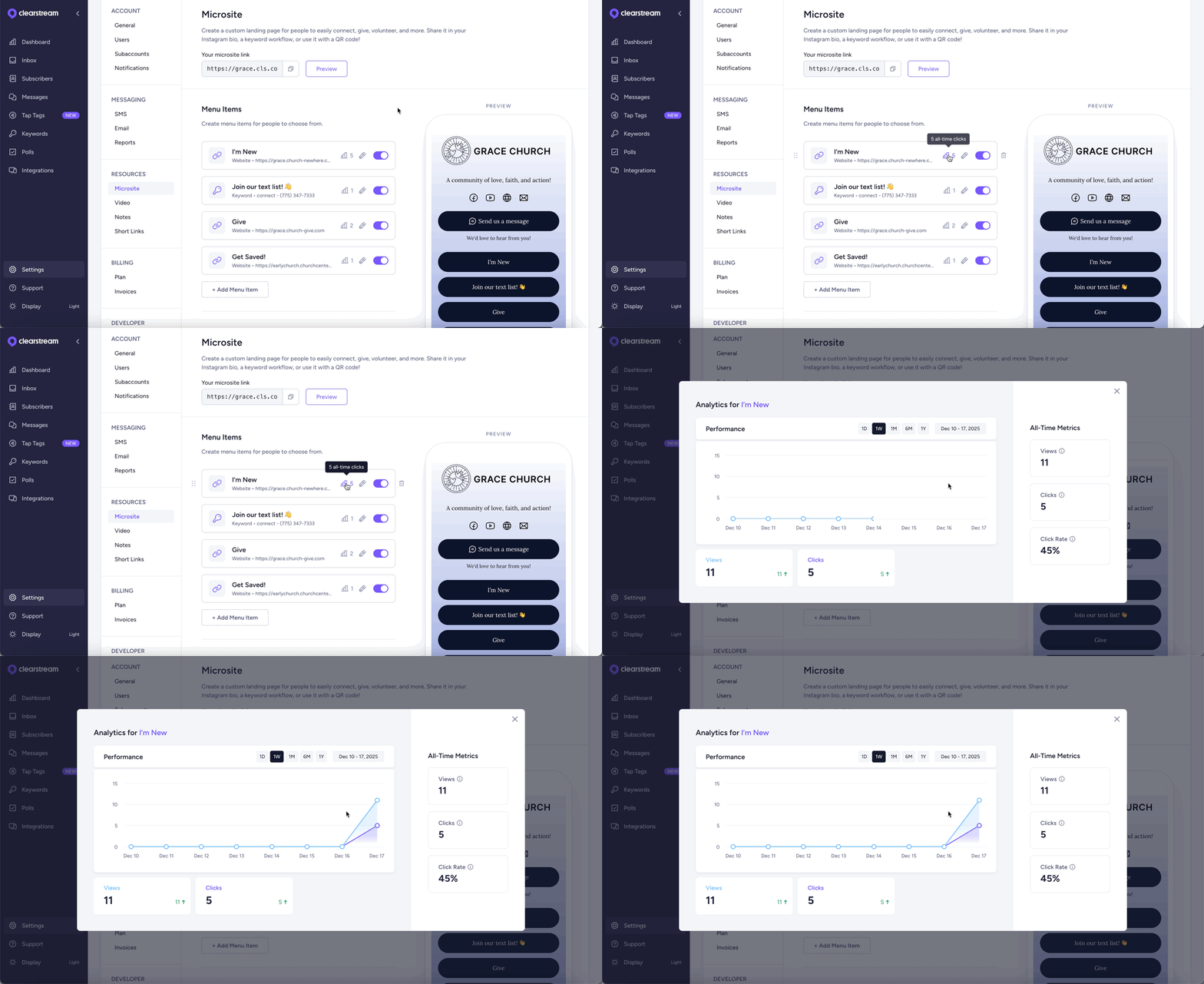
View microsite analytics
A microsite is a custom landing page for your church. People can choose from a menu of options to give, connect, volunteer, and get in touch with your team. And now, you can track views and clicks for each of your menu items. Just go to Settings, then click Microsite!
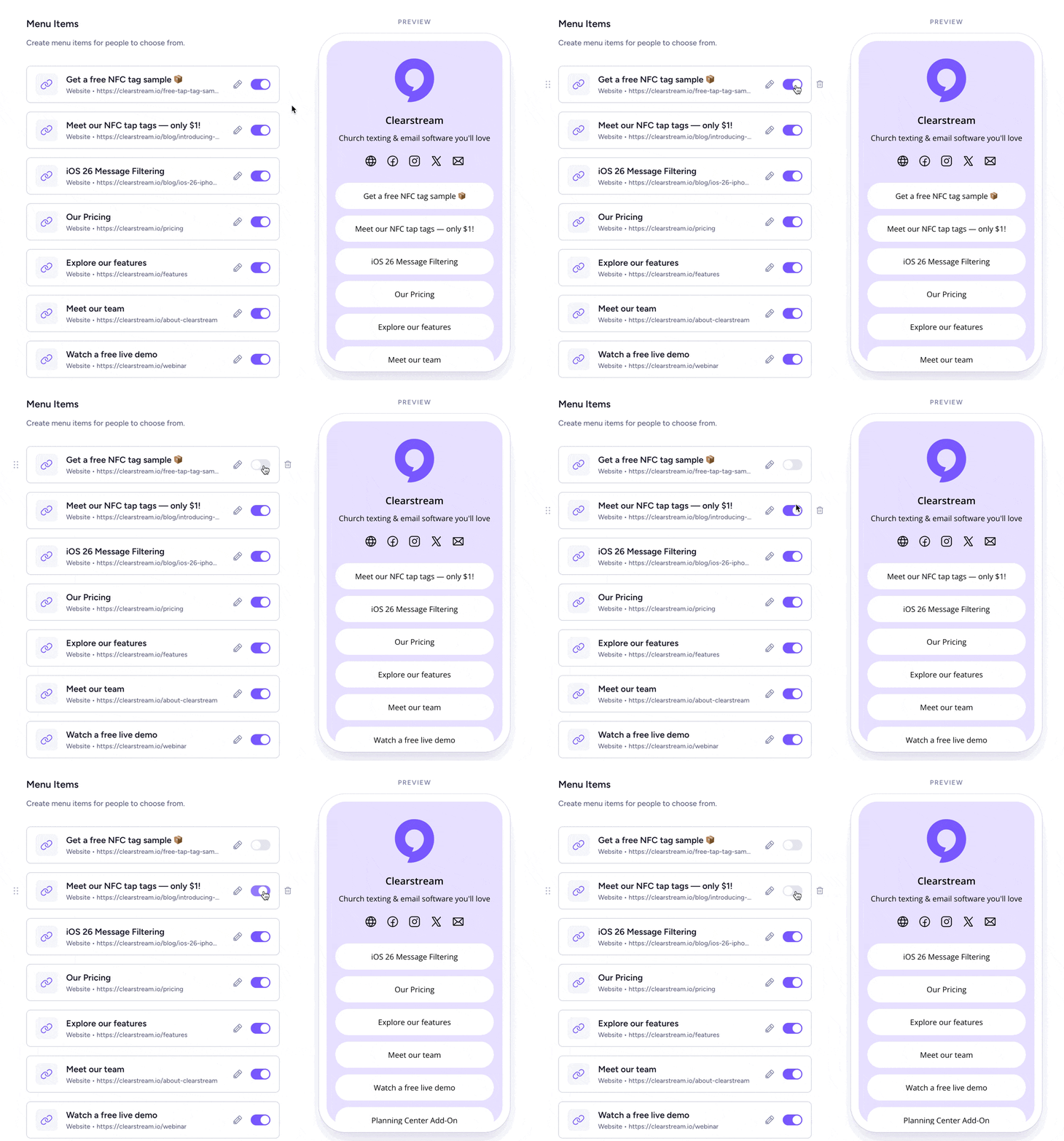
Hide & unhide microsite items
Notice one of your microsite items isn't getting a lot of clicks? Easily hide it so you can add a new option, without deleting the previous one. Perfect for making space for an upcoming event! 💪
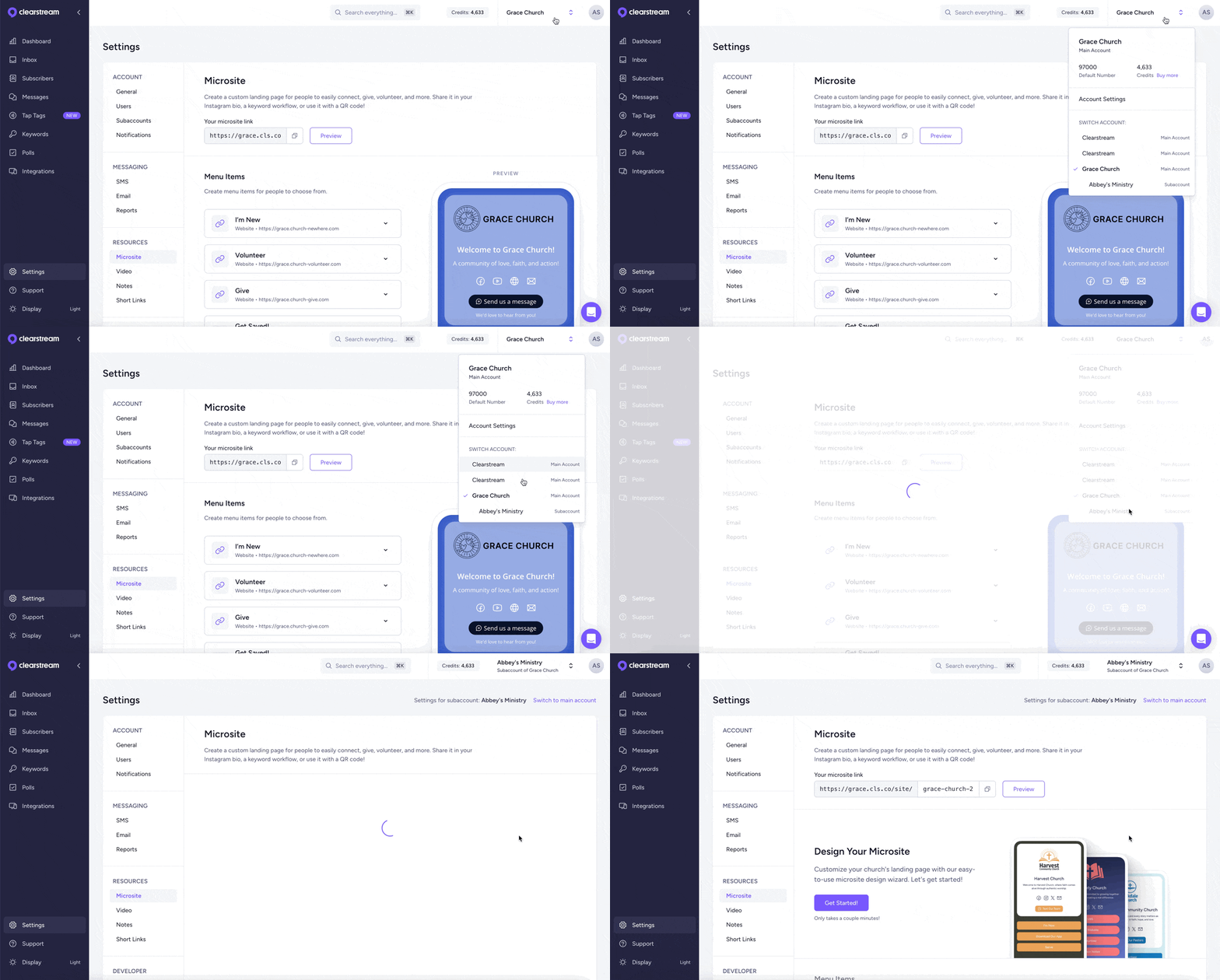
Create microsites in subaccounts
Now, you can create multiple microsites, one for each of your subaccounts. Your youth group, kids ministry, or other campuses can each have their own customized landing page with their most important resources.
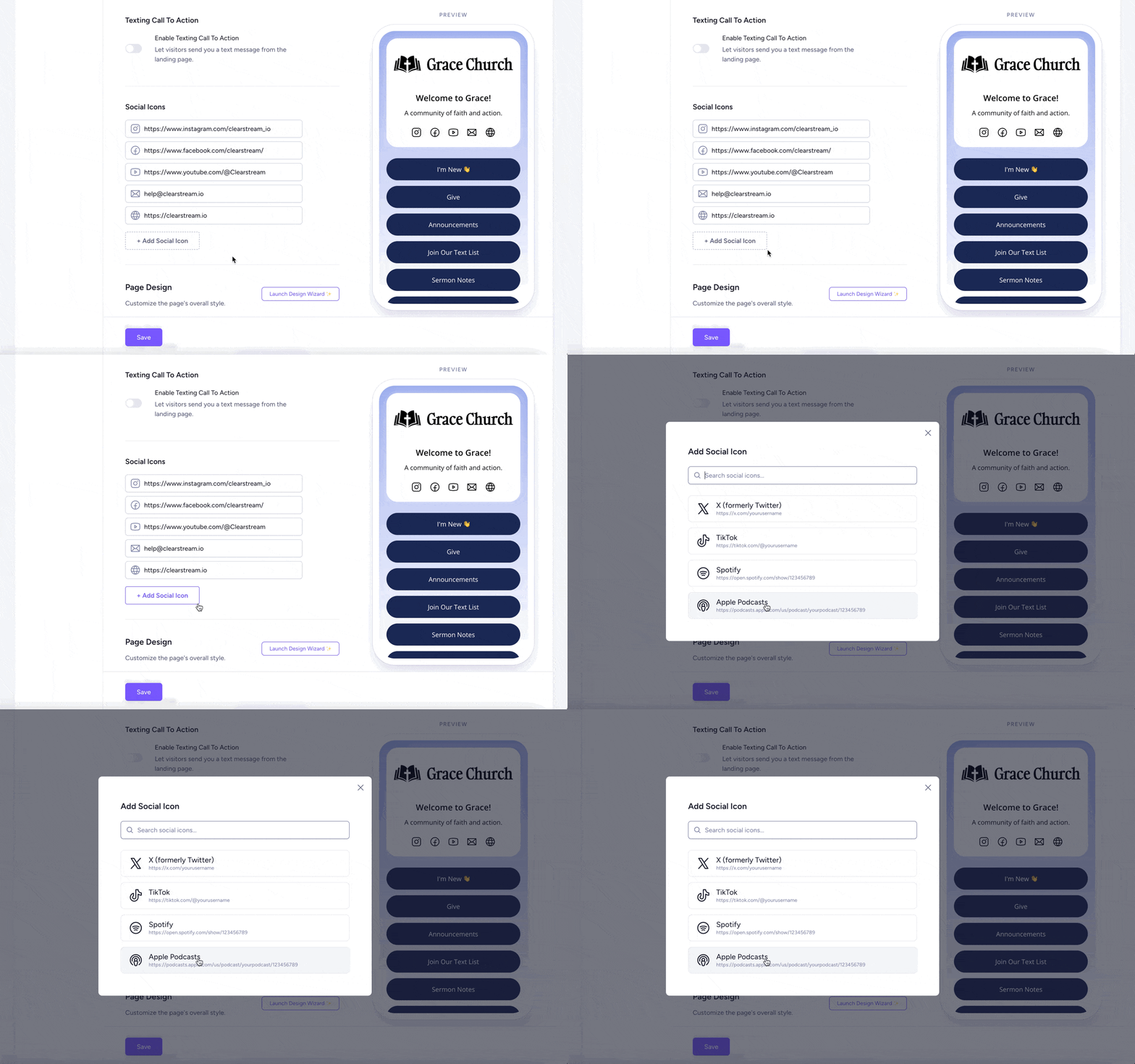
Link Spotify & Apple Podcasts
You can add Spotify and Apple Podcasts to your microsite's social media icons.
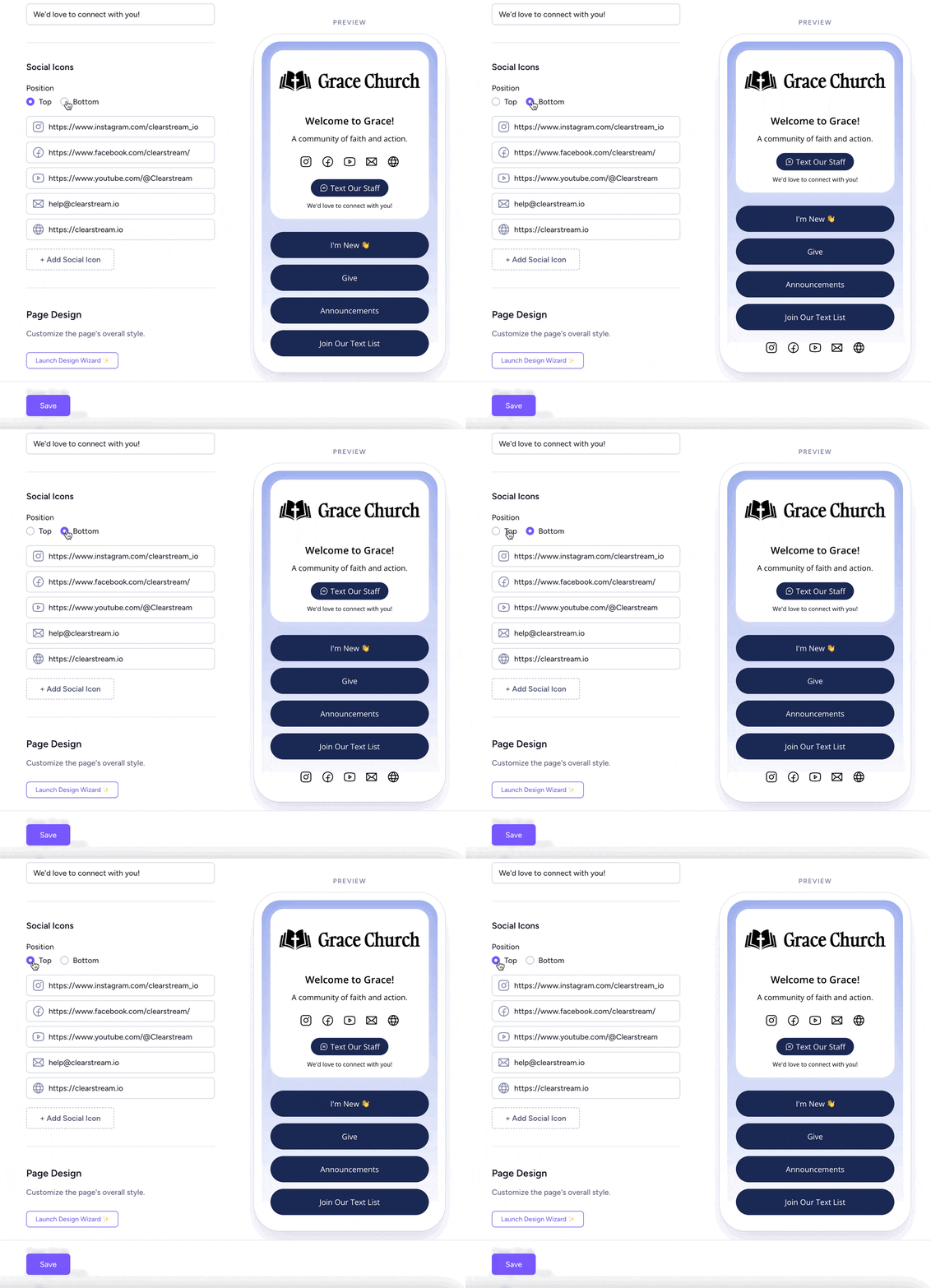
New location for social icons
You can now choose if you want your social media icons to display at the top or bottom of your microsite.
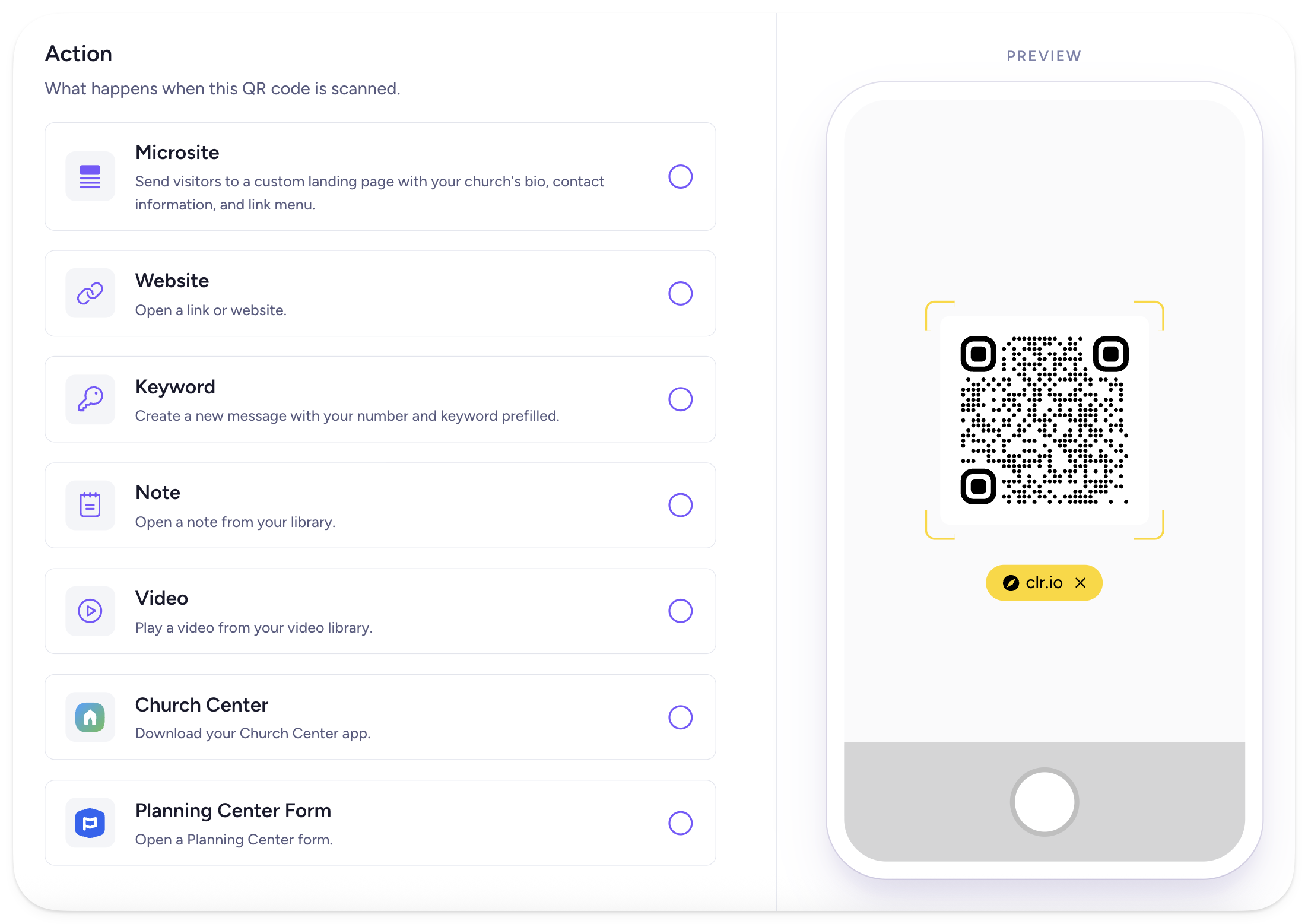
New feature: QR codes
You might be thinking, "Didn't Clearstream already have QR codes?" And the answer is yes, but only peppered throughout a few specific features.
Now, you can generate unlimited QR codes with any link you want to use on your church's bulletins, signage, or digital slides. People can easily get connected, fill out a form, join your texting list, and more — just by scanning your QR code. Go to Settings, then click QR Codes.
Schedule tap tag actions
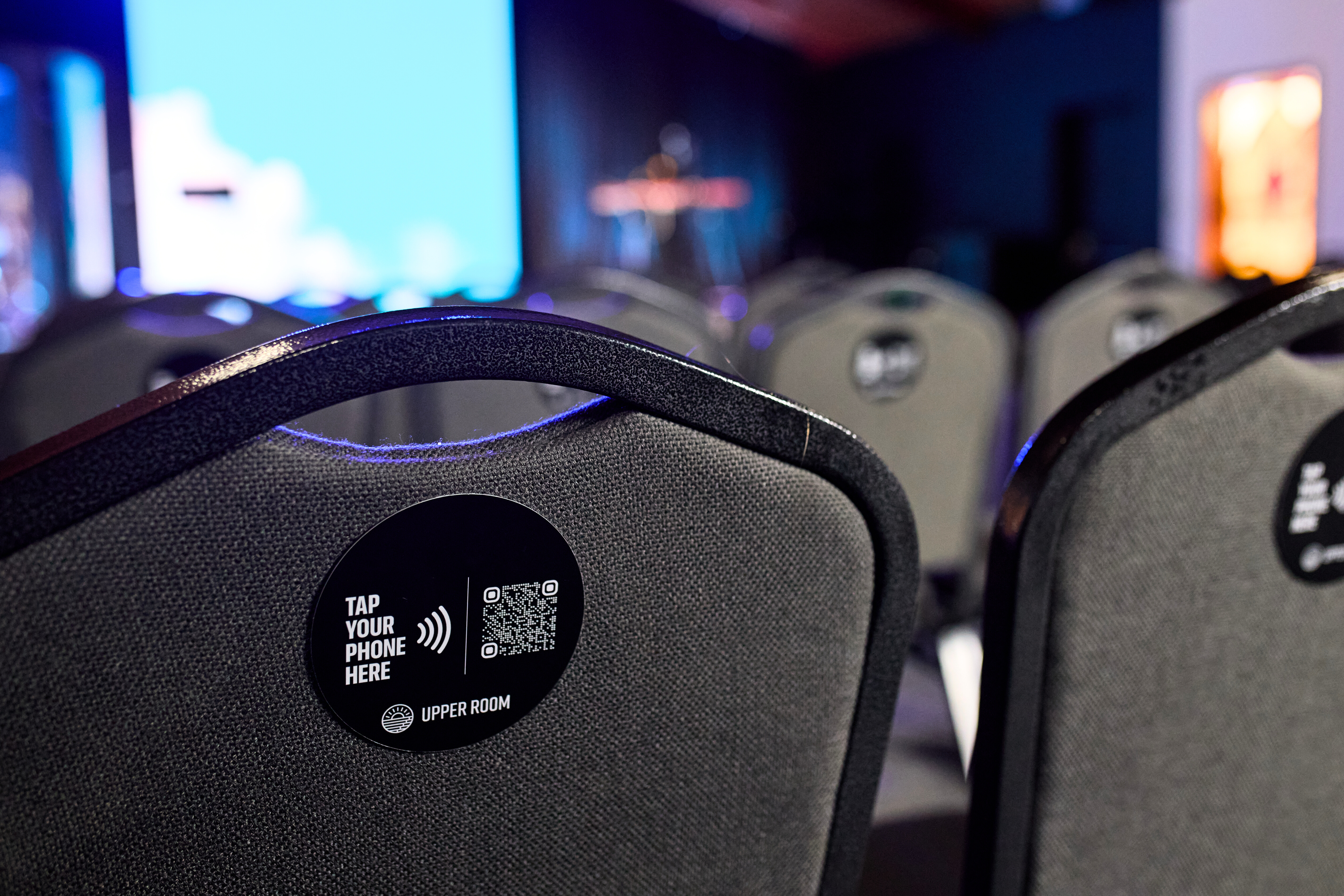
A few months ago, we launched NFC tap tags. They start at only $1 each, and there's no additional monthly fee. 🙌
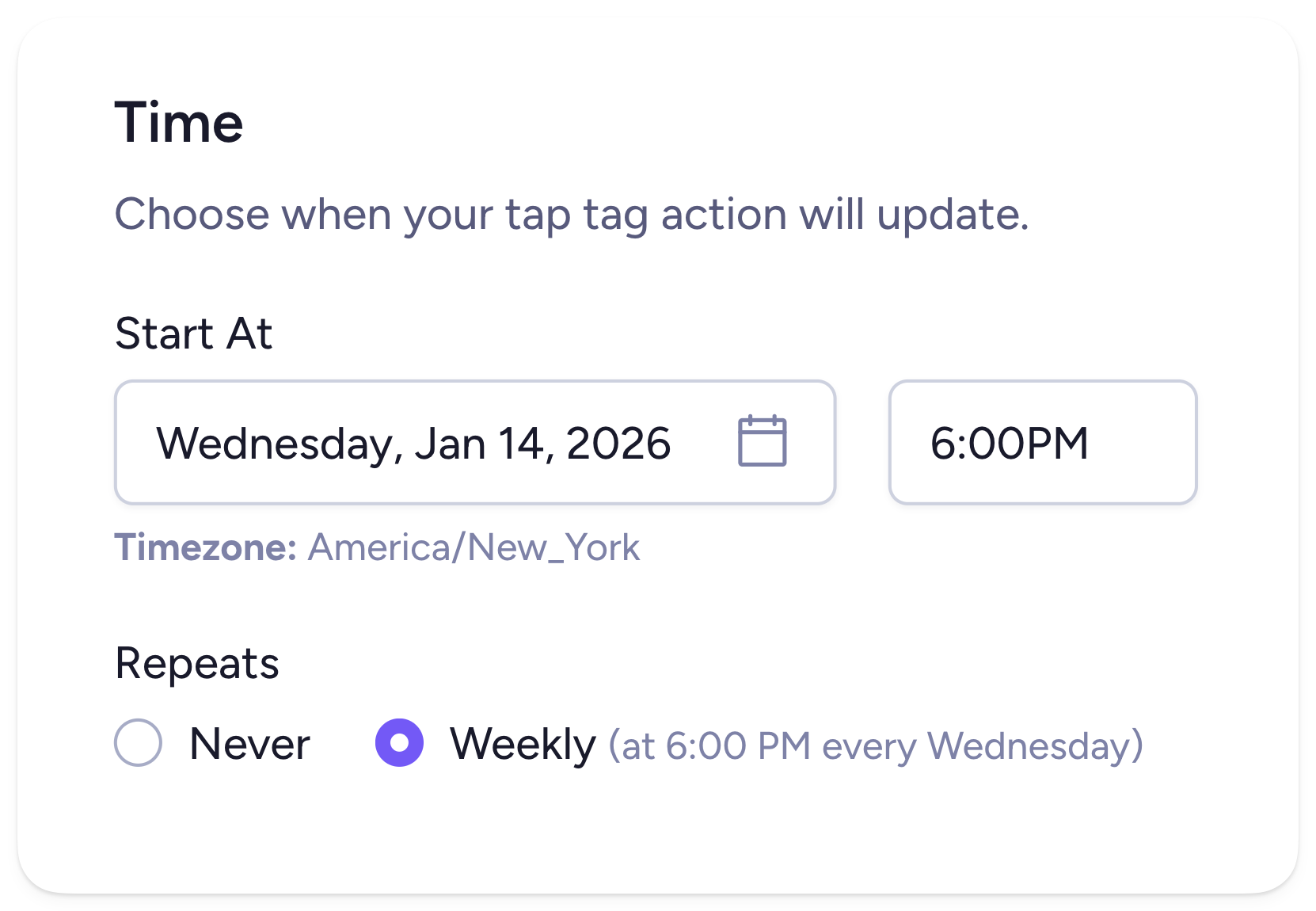
Now, you can schedule tap tag actions to change automatically! Set your tags to change to your giving page at 10:15 am on a Sunday morning, then to your visitor connect card at 10:20. Or, schedule your tags to change to your youth group's landing page every Wednesday night and then revert back to your normal action after service is over.
Just choose when you want your action to change and if you want it to repeat each week.
Want some ideas for how you can use NFC tags in your church? Check out this article!
Create a branded domain
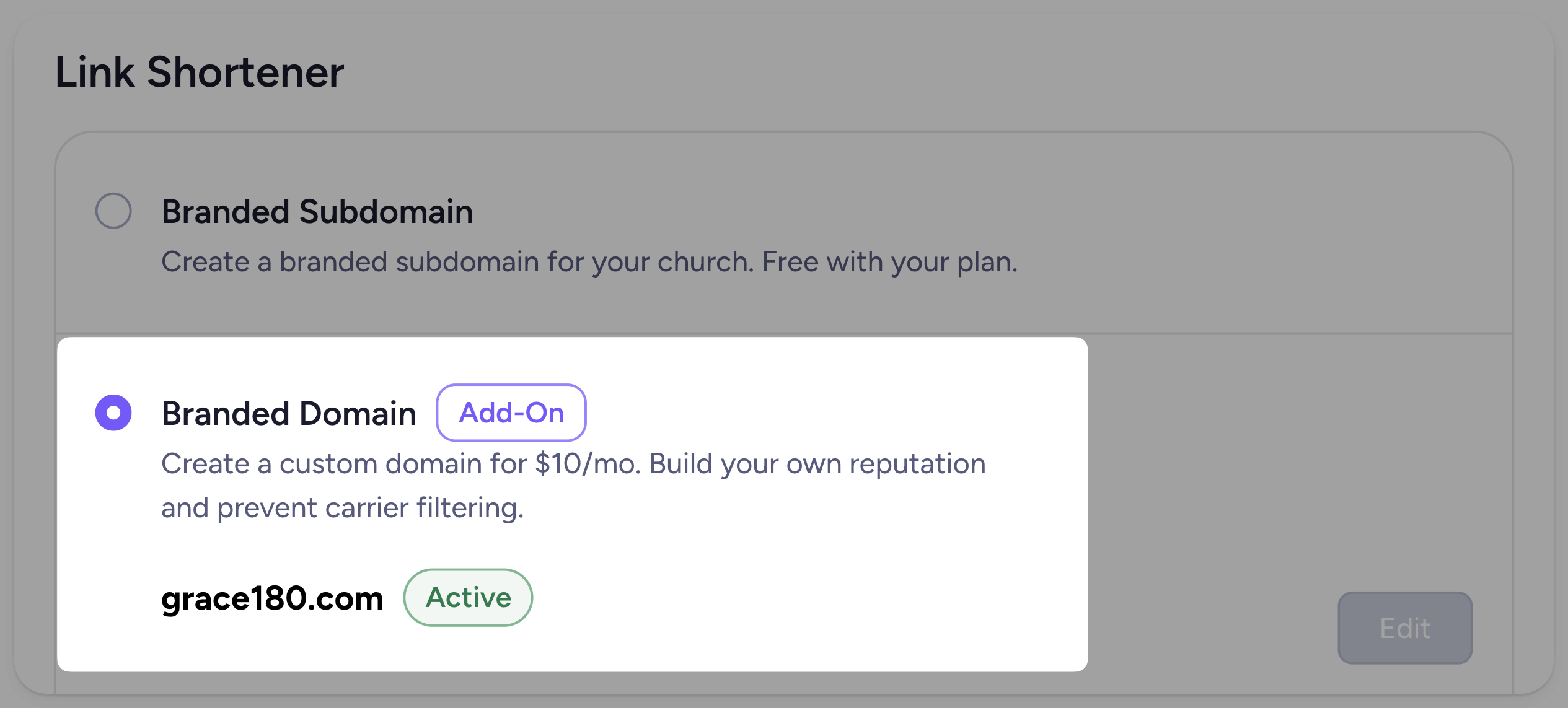
Now, you can create a custom-branded domain for your shortened links. Keep your branding consistent, segment your traffic, and help reduce carrier filtering.
Branded domains are a paid add-on, but they're only $10/month. And if you didn't know, you can still create your own custom-branded subdomain for free with your plan!
Just go to Settings, then click Short Links.
Manage NFC tags in subaccounts
If your church uses subaccounts to separate out your different ministries, you can now order tap tags within each one (so your youth pastor can manage their own tap tags in their youth subaccount)! Just go to the Tap Tags page in your subaccount to place your order. Or, click here to order a free sample!
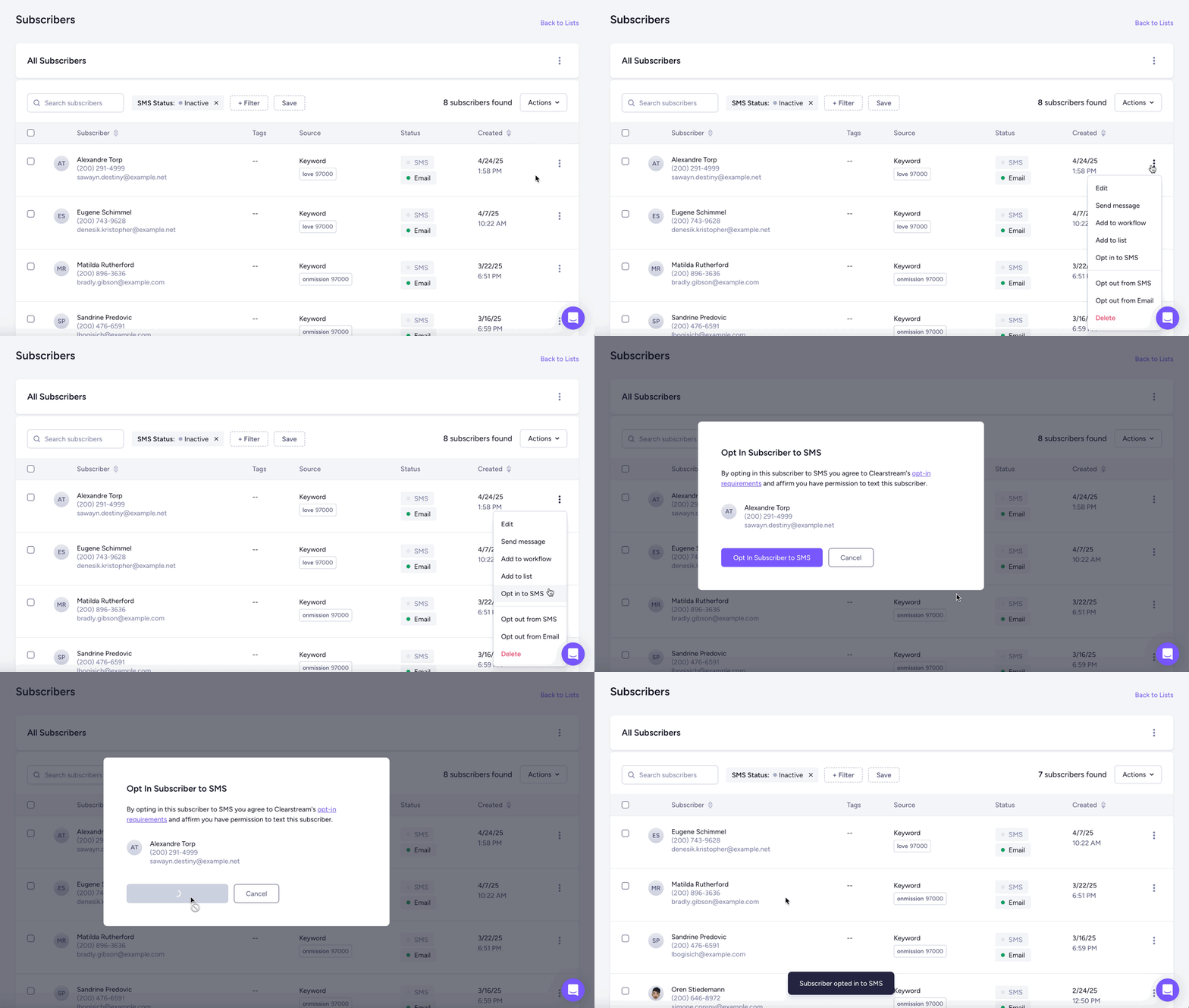
Opt in inactive subscribers
You can now easily opt in inactive contacts. Just select the inactive subscribers you want to opt in, click Actions (or the ⋮ icon), then Opt in to SMS.
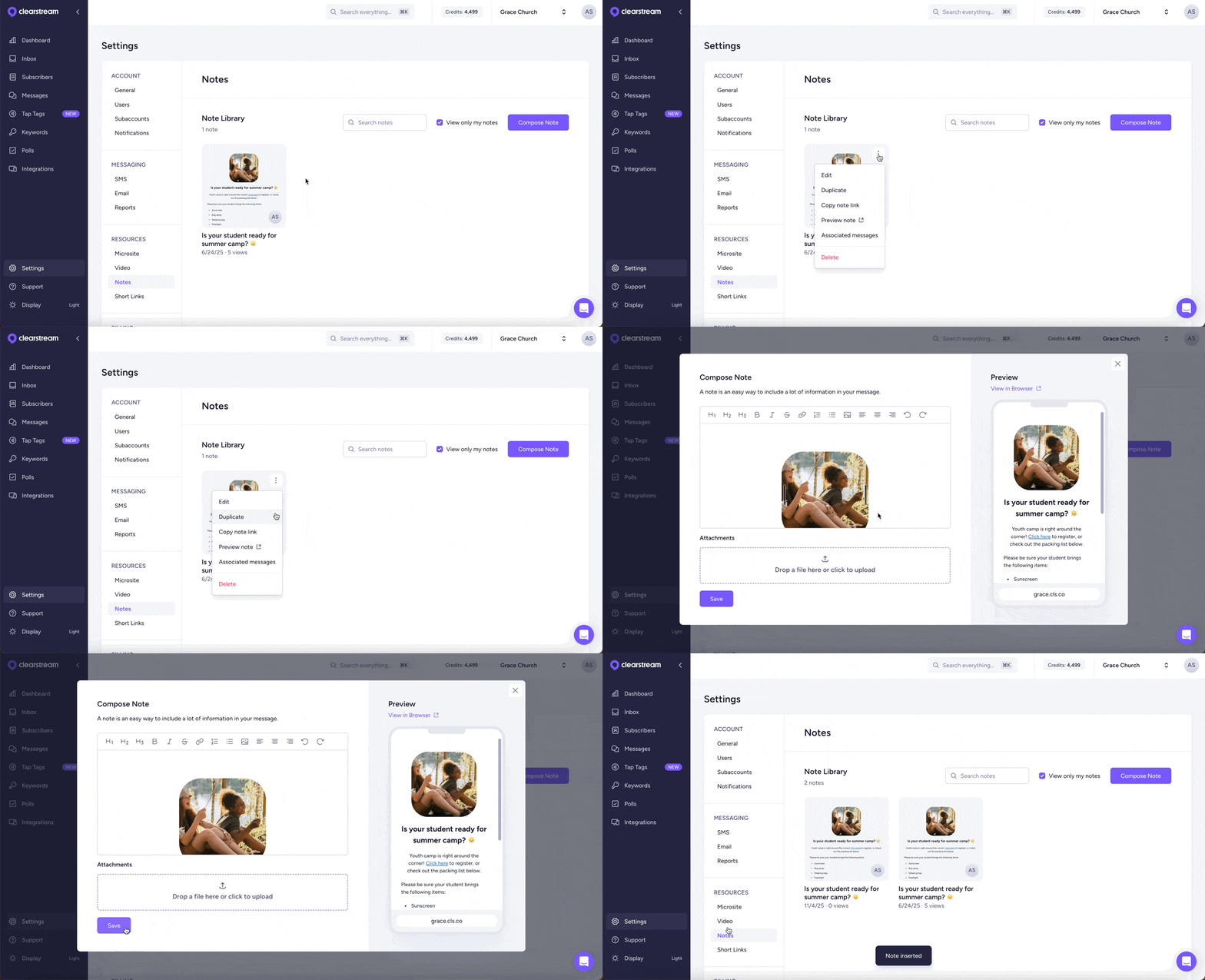
Duplicate notes
If you want to send long-form content in a text, notes are a great way to do that. Perfect for announcements, sermon notes, song lyrics, PDFs, and more. If you want to reuse the formatting of your note, you can quickly duplicate it in your Note Library.
Check out our changelog for all our recent updates. If you have any questions or feedback, just reach out to us from the chat in your account. We'd love to hear from you! 🤗